


Improve acces to Presets and Dashboard for beginner
Hello Locus Map users,
For navigation, Locus map has fantastic features like Preset, Dashboard and Navigation linked with a Preset. These features allow to automatically change significantly information/graph on screen during navigation, in accordance with the type of activity.
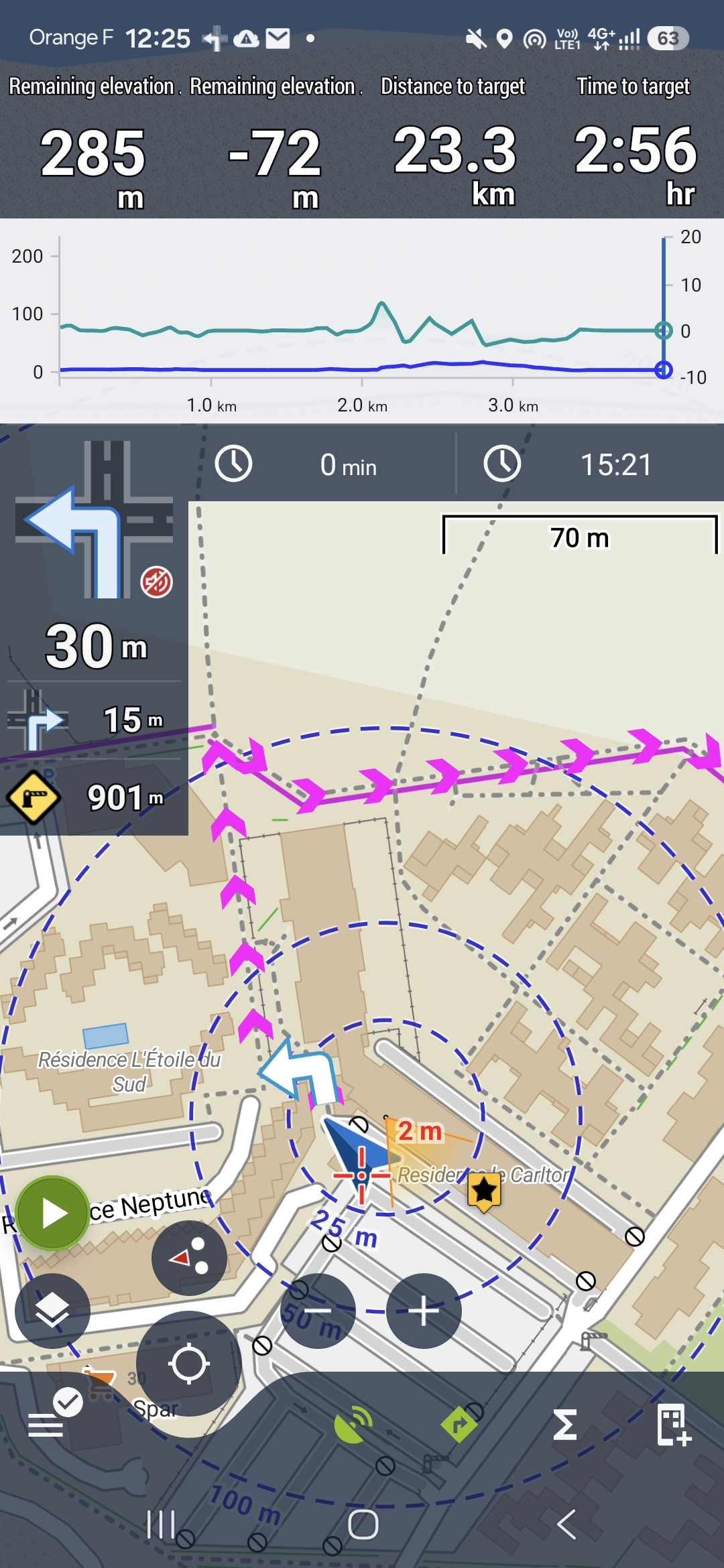
Attached, my Walking dashboard, very close of the one on manual https://docs.locusmap.app/doku.php/manual:user_guide:tools:dashboards
But for a beginner it is impossible to use this before to spend hours to understand and tries.
I sugest to activate "out of the box" in Locus map (or easly activable) some Presets, Dashboards and Navigation linked with a Preset. Everything should be editable and deactivatable.
Only as an example, here below what I've done (after long hours).
My 4 presets :
- Default (the current Locus Map screen). Back to this preset at the end of navigation.
- Car (particular settings : screen on all time, route re-calculation, map themes Road, Dashboard Car, etc..)
- Cycling (particular settings : profile recording Cycling, distance circles, map themes Hike&Bike, Dashboard Cycling, etc..)
- Walking.
I added a shortcut to Presets on the function panel (bottom).
I have another preset to display Locus map on TV or to have the bigger map possible : Display maximum screen. Manualy activated/desactivated.
My settings of "Link with preset":
- Walking > Walking preset.
- Cycling > Cycling preset.
- Moto vehicule > Car preset.
My 3 Dashboards:
- Car.
- Cycling,
- Walking.
It could be good also to help to download Dashboards made by community.
 I like this idea
Replies have been locked on this page!