


Ability to hide specific points?
Hi,
I've started using Locus Maps and it's amazing, but I haven't found a way to disable specific points.
I have the LoPoints (offline) set enabled, and that's a useful set of points which shows picnic tables, parks, etc on nice zoom levels. However, it shows _a lot_ of Charging Stations, which muddle the view a lot. I'd like to hide these since I don't have a car and use the app for hiking. They are so prevalent and viewable on many zoom levels that I can't easily see the Drinking Water points that I've additionally added: see the screenshots.
One "fix" I've found is to disable the entire LoPoints (offline) set, but that's throwing out the baby with the bathwater, now I can't see all kinds of useful things anymore. And if I add say, drinking water; parks; picnic tables; viewpoints; bus stations, etc., it only adds the 100 closest.
So disabling all isn't what I want, can I disable only charging stations? See screenshots for how my cluttered my map looks and how difficult it is to easily see the Drinking Water points
 The same question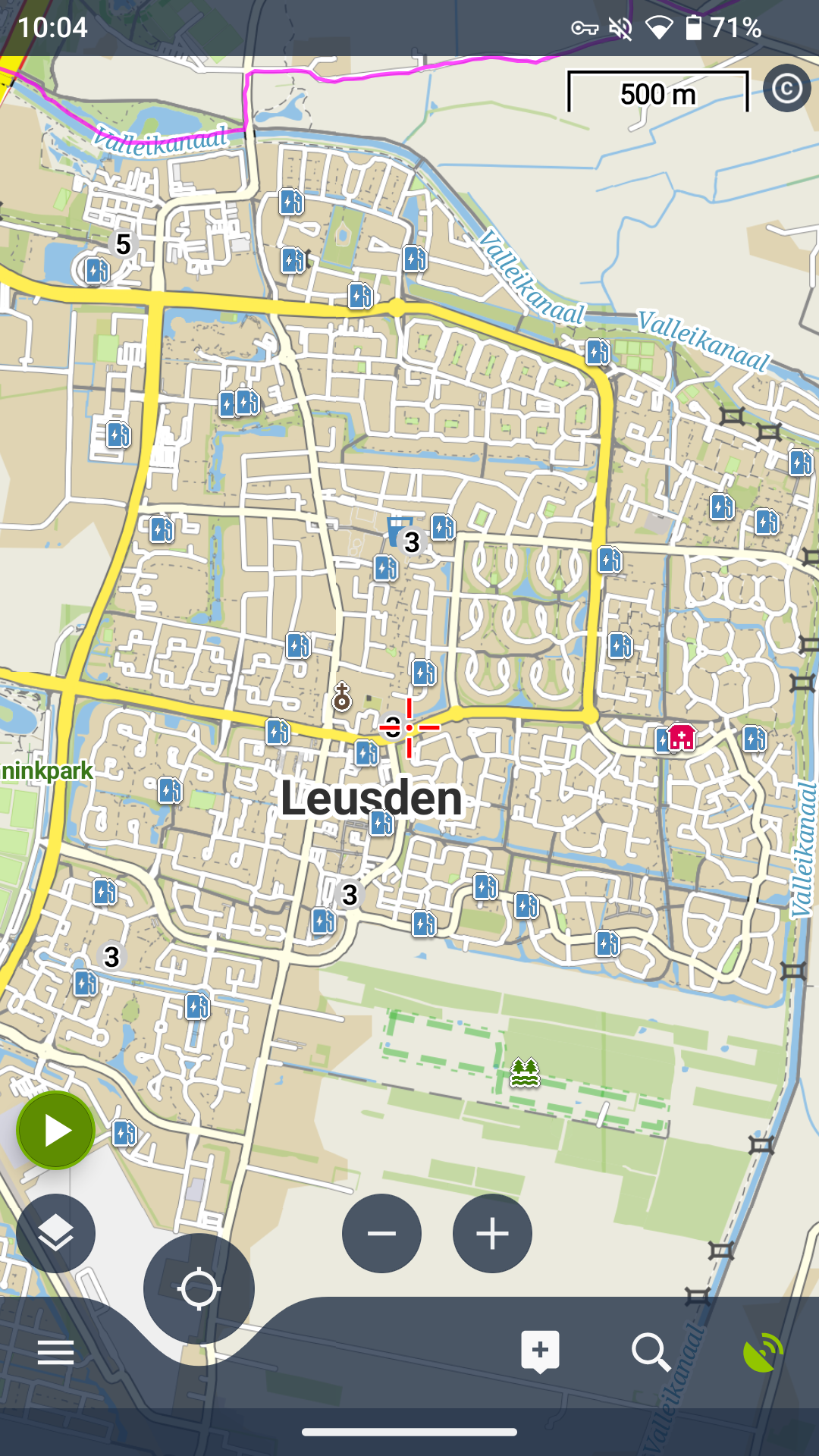
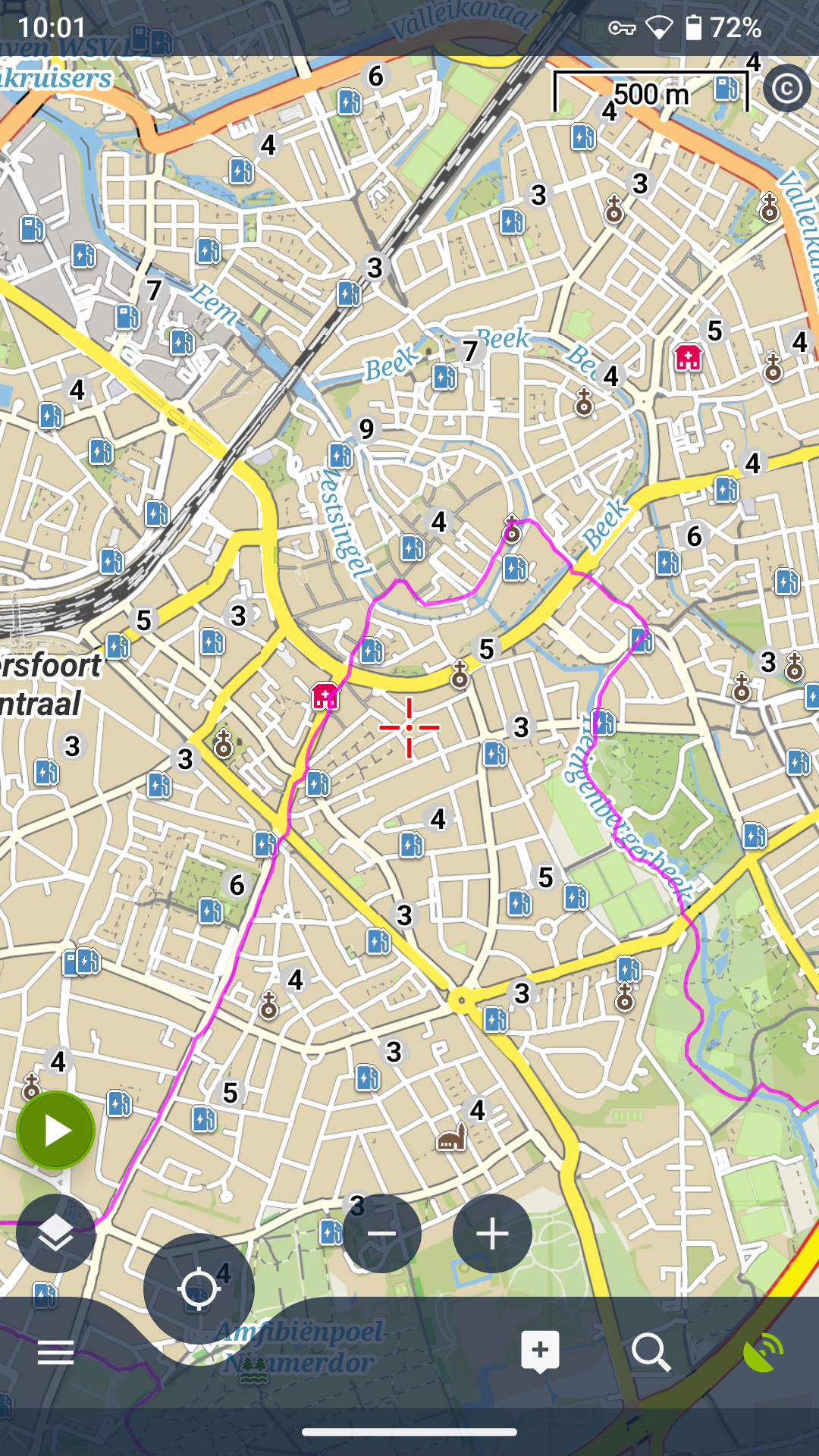
Additionally, about everywhere I click in a city on a POI, I get a popup with the POI I clicked on, and a Charging Station that was or wasn't visible, see additional screenshot.
Additionally, about everywhere I click in a city on a POI, I get a popup with the POI I clicked on, and a Charging Station that was or wasn't visible, see additional screenshot.
You can vote for it here. We will be working on the offline poi in the near future. Of course I also hope that this will be taken into account. The same goes for the online poi, of course.
https://help.locusmap.eu/topic/how-to-choose-poi´s-offline-db-poi
You can vote for it here. We will be working on the offline poi in the near future. Of course I also hope that this will be taken into account. The same goes for the online poi, of course.
https://help.locusmap.eu/topic/how-to-choose-poi´s-offline-db-poi
Replies have been locked on this page!