


Tiles alignment issue when displaying .mbtiles file
Closed
When .mbtiles files are loaded as offline maps, the border between tiles is not seamless, but there is a slight overlap.
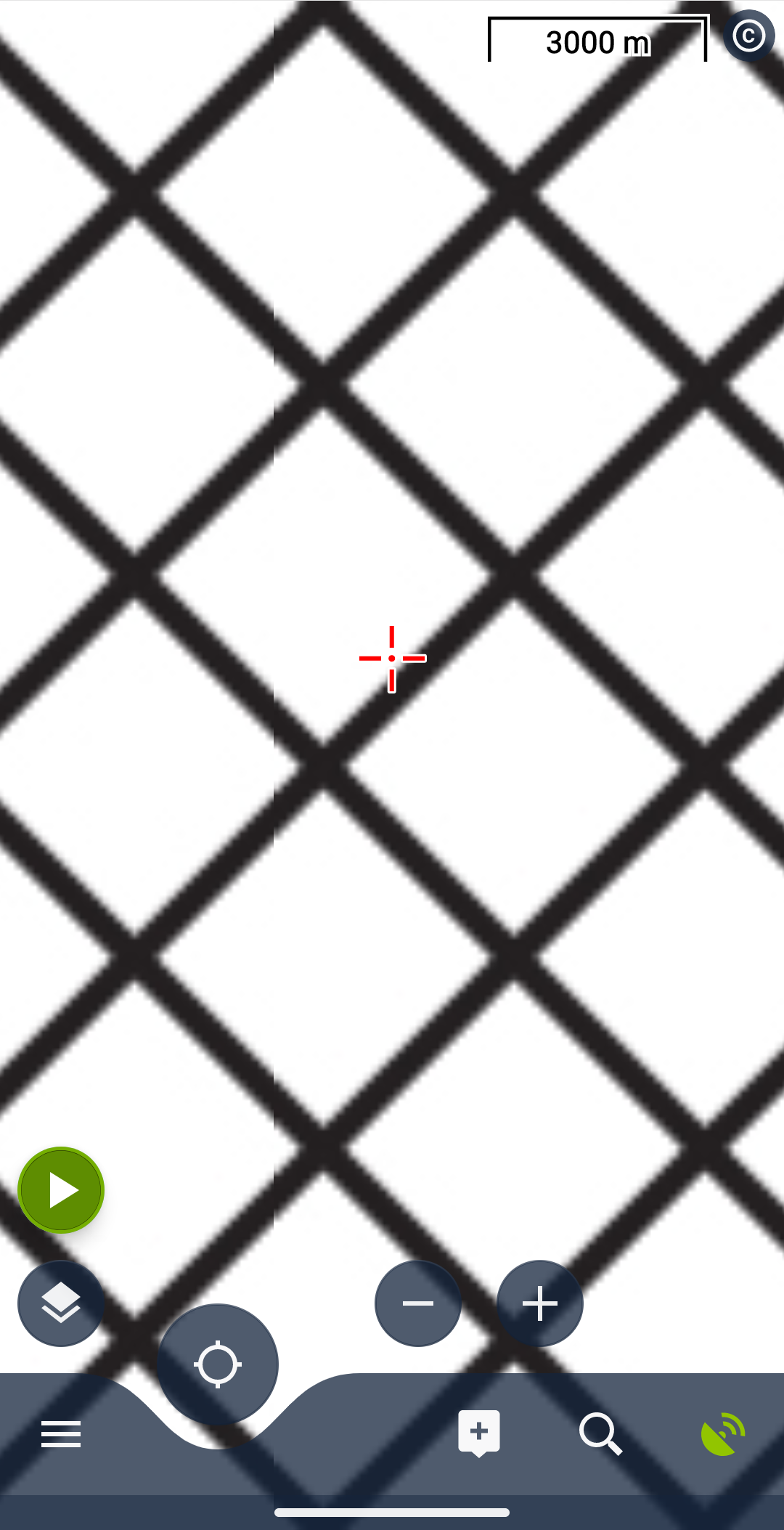
I have prepared a test pattern and loaded it as two adjacent tiles into a .mbtiles file to show the problem.
The example shows a vertical border, but horizontal borders behave the same.
In the screenshot, you can see a vertical overlapping line in the left part of the screen.
I also attached the test file.
Tested on Locus Map for Android v4.30.1
 The same problem
Hello Federico,
thank you for this bug report. As usually, hunting a pixels won't be easy. I've added this to my TODO list on next months and let you know once there will be any progress. Thank you.
Hello Federico,
thank you for this bug report. As usually, hunting a pixels won't be easy. I've added this to my TODO list on next months and let you know once there will be any progress. Thank you.
Hello Federico,
I'm testing it and getting identical result like you, even with the latest Locus Map version.
As I see, this "issue" is visible when the layer is scaled up to 500% and more. It may be a rounding error in the map system or just precission limits of the Android drawing system. Anyway, I consider problem as very minor, almost not noticable and won't invest more time into it. Thanks for understanding.
Hello Federico,
I'm testing it and getting identical result like you, even with the latest Locus Map version.
As I see, this "issue" is visible when the layer is scaled up to 500% and more. It may be a rounding error in the map system or just precission limits of the Android drawing system. Anyway, I consider problem as very minor, almost not noticable and won't invest more time into it. Thanks for understanding.
Replies have been locked on this page!