


Map tiles are not aligned
Solved
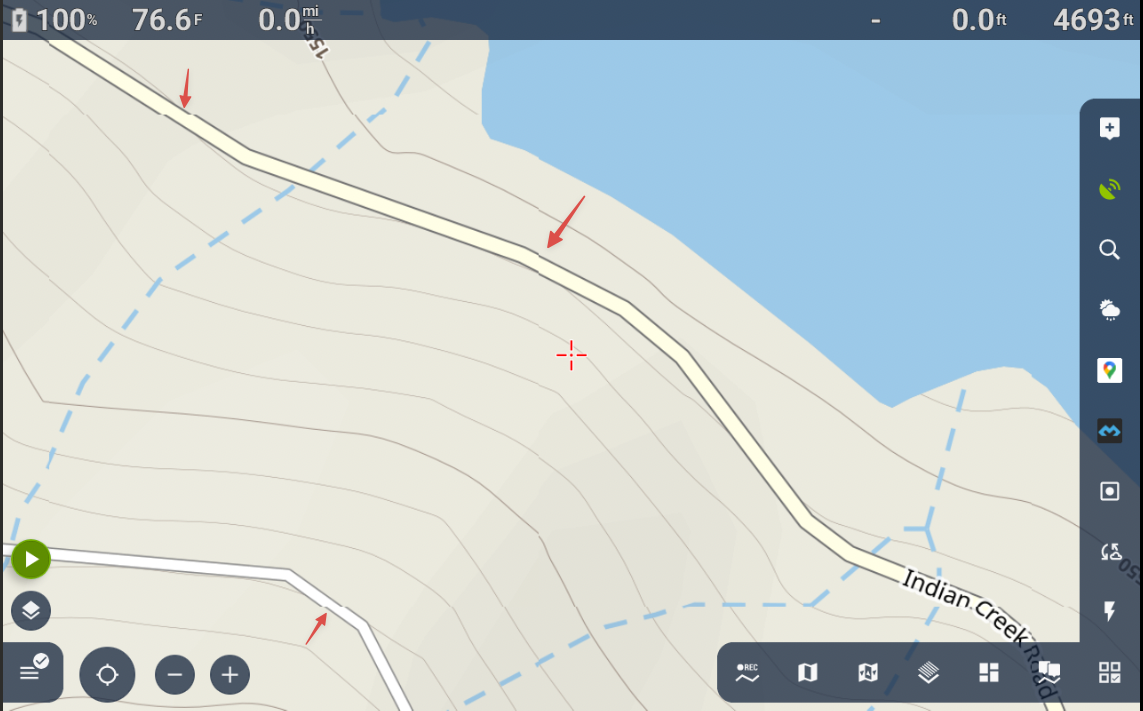
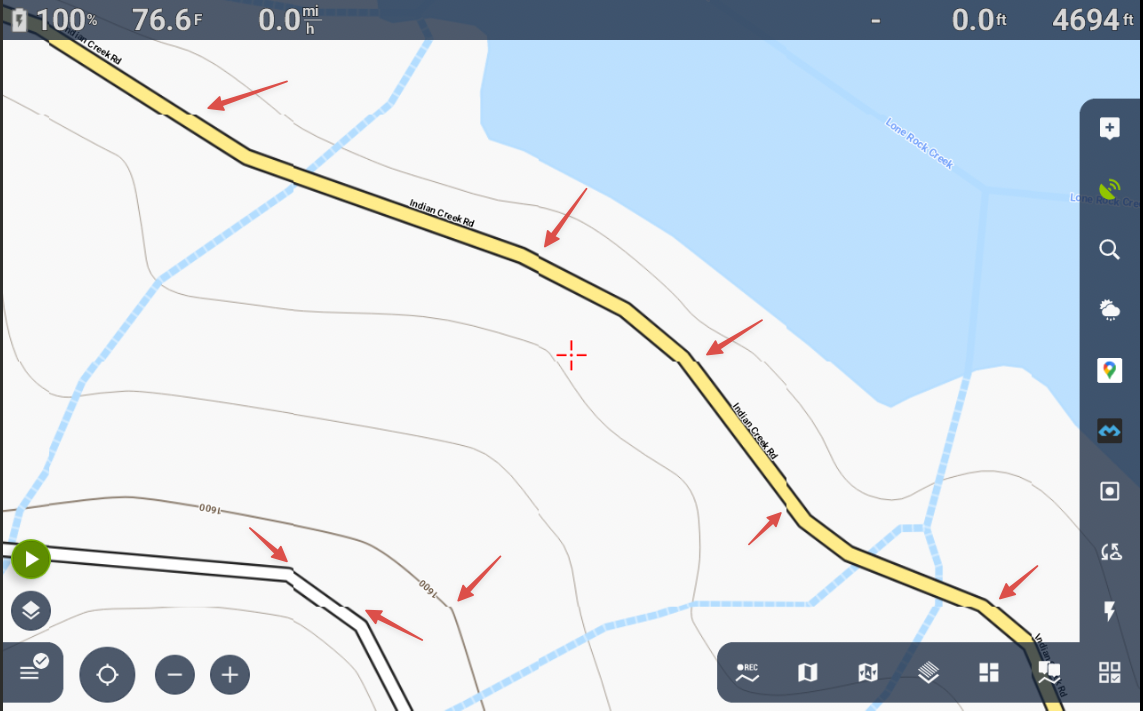
I have attached a screenshot showing misaligned tiles.
Test Conditions: Two different Android devices running Locus Maps version 4.32.3.
Maps Used:
LoMaps (California) - Vector-based offline
LoMaps (California) - Raster-based online
OpenAndroMaps (California) - Vector-based offline
Maps from other states exhibit the same issue.
Themes: I tested all these themes: Elements, Elevate, OS Map V4 Day, Tapiola, Tiramisu, Velocity V5 LE, Voluntary V5 LE.
Zoom Level: All levels were tested. It is more difficult to notice when zoomed out, but the issue becomes very noticeable above zoom level 16.
I tested the same maps in Locus Maps Classic, and they did not show any signs of misaligned tiles. Locus Maps Classic works perfectly.
 The same problem
Hi,
what version of the map do you use? Check the "detail" screen in the map's menu.
Hi,
what version of the map do you use? Check the "detail" screen in the map's menu.
It happens with all the maps that I've tried from LoMaps and OpenAndroMaps.
For example:
LoMaps V4 California Date Dec 5, 2025
OpenAndroMaps USA West - August 9, 2024
It happens with all the maps that I've tried from LoMaps and OpenAndroMaps.
For example:
LoMaps V4 California Date Dec 5, 2025
OpenAndroMaps USA West - August 9, 2024
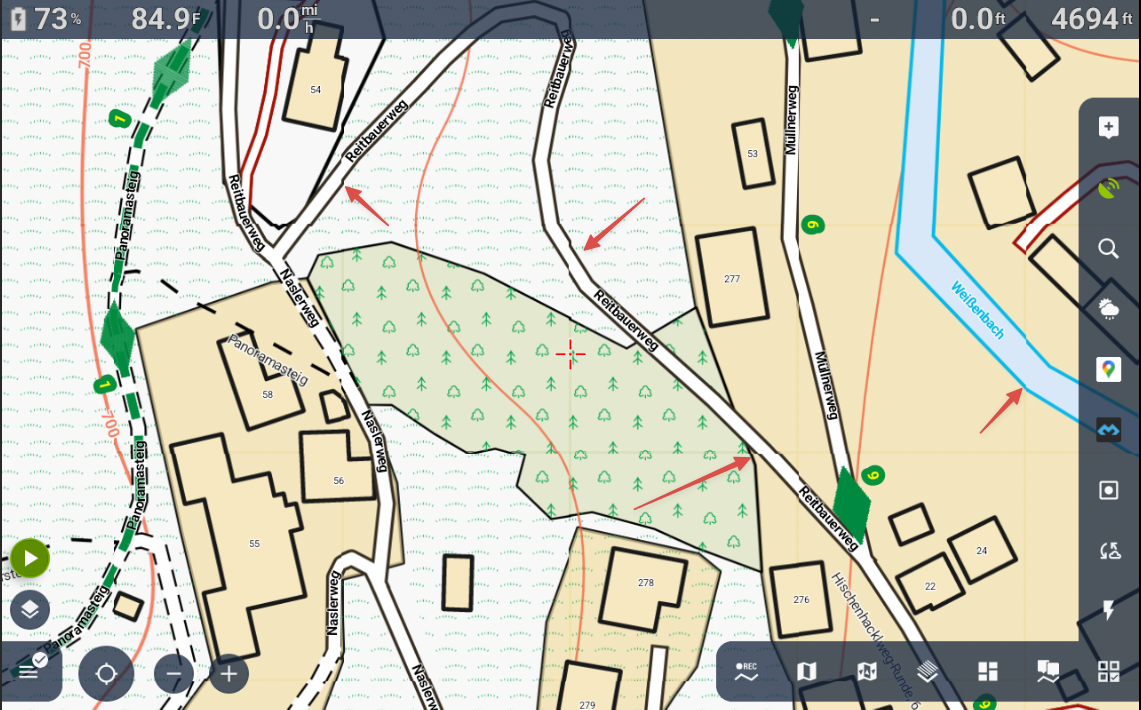
LoMaps - Austria Dec 5, 2025
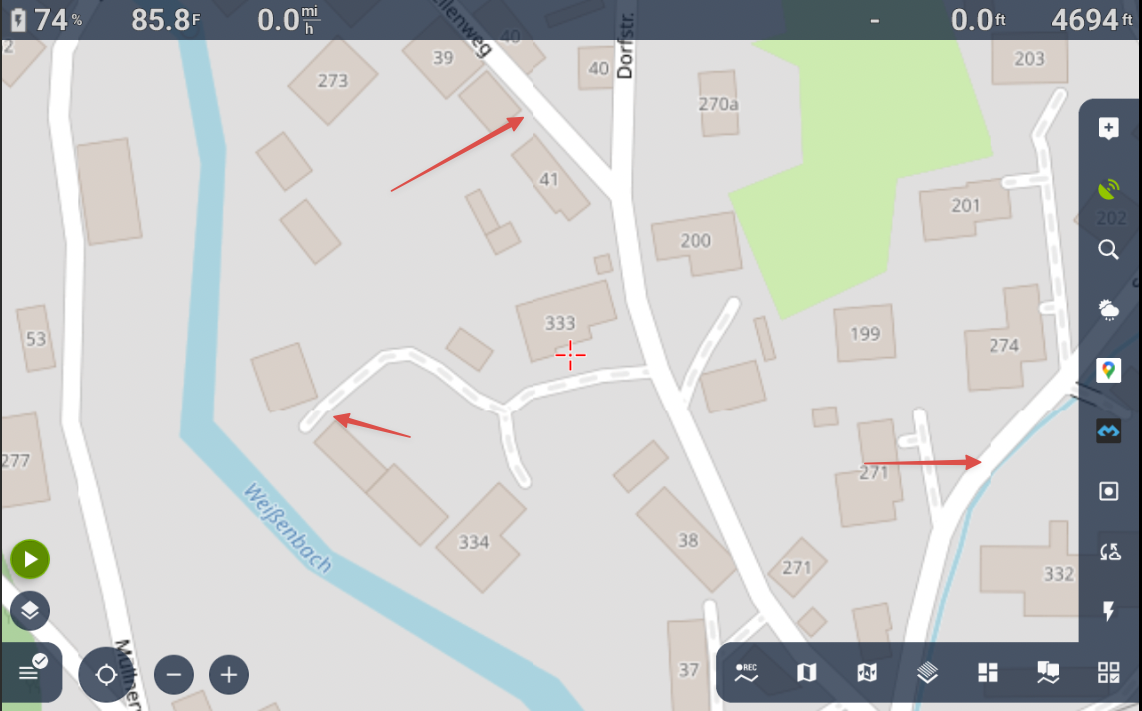
OSM German Style - Online Maps Don't show version date
LoMaps - Austria Dec 5, 2025


OSM German Style - Online Maps Don't show version date
Just another piece of information:
I built a fresh virtual machine with Android Studio.
Downloaded and installed MapGooglePlay_4.32.3 + Auto_1202_release.apk
All settings are default fresh install values
Using LoMaps Online
Just another piece of information:
I built a fresh virtual machine with Android Studio.
Downloaded and installed MapGooglePlay_4.32.3 + Auto_1202_release.apk
All settings are default fresh install values
Using LoMaps Online
Same here (4.32.3):
Same here (4.32.3):
Thanks for all the additional information; it helped us a lot when investigating the problem. The error has been identified and fixed. Please wait for the next app version.
Thanks for all the additional information; it helped us a lot when investigating the problem. The error has been identified and fixed. Please wait for the next app version.
Replies have been locked on this page!