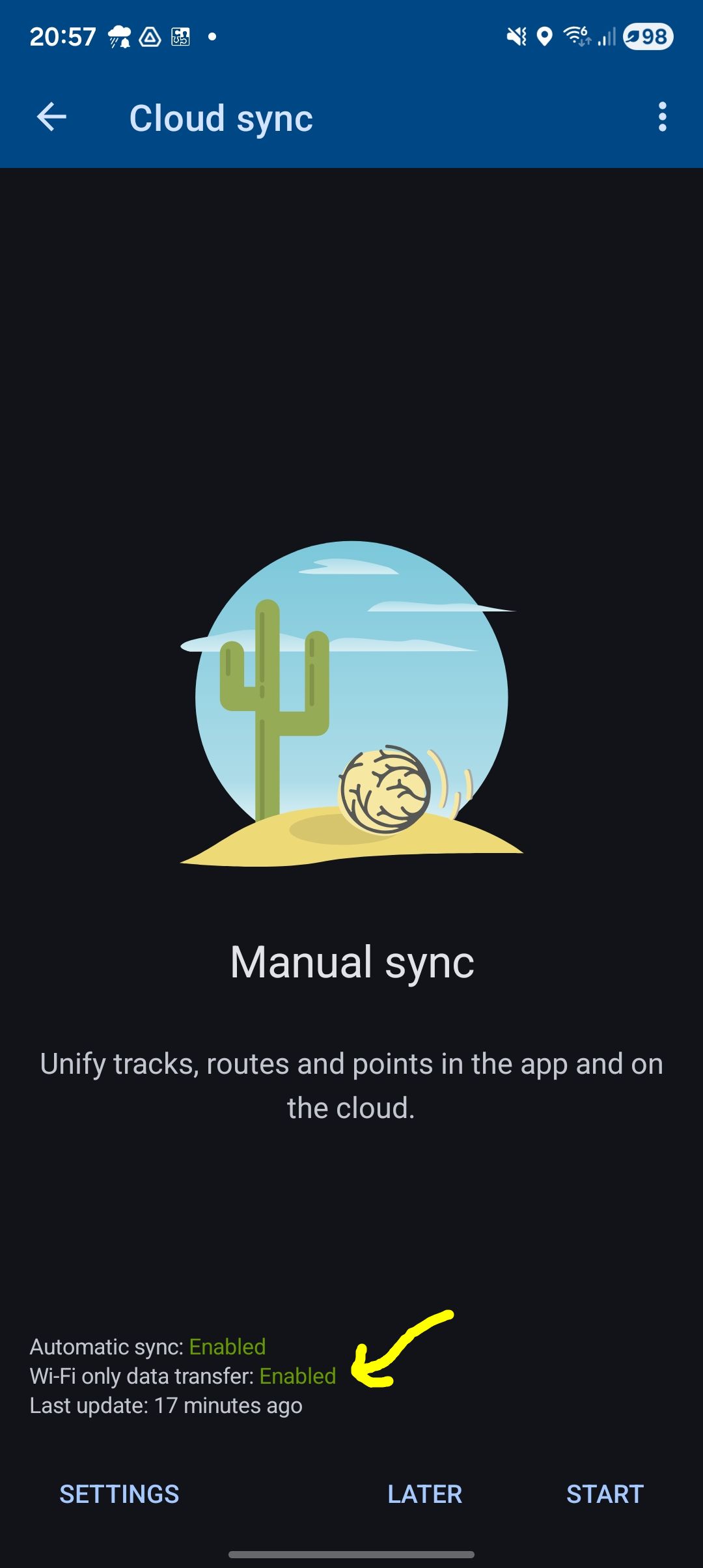
Missing setting for Cloud Sync (Wifi only)

Wolfgang shared this question 20 days ago
Answered

Hi,

in the past it was possible to change the cloud sync behavior of Wifi/mobile data. The button to toggle this behavior disappeared - or moved to somewhere....

Wolfgang

Replies (1)

photo
1

Hi Wolfgang,

the switch for wifi-only data transfer is in settings > Miscellaneous:

49a35a964f4a09c021521f2e7298273688aed1ee4f86749ddabb9161e48c2607

If you have a problem with finding a particular setting, please use the settings fulltext search:

5cfb82b3227d9a81fbcef2bec7f056239ea3fe6f566cd0fee7d82b9327fd4eeb

This comment is in trash! Restore
photo
1

Thanks for the help. I was almost sure it was on the cloud sync page.

As I understand it it seems to make no difference between cloud sync or e.g. backup. I see a big difference between both but I don't care because the backup is transferred to the outside with another tool.

Thanks Wolfgang

This comment is in trash! Restore
photo
1

There a re a few major differences between cloud sync and backup:

- cloud sync - synchronizes your app data (routes, tracks and points, without maps or media attachments), cloud data and data in other connected devices with the same account. After sync, the data on all your devices is the same.

- backup - it saves also your app settings and custom configuration (in the "migration" version, also including maps and media). When you restore a backup, all your newer data is overwritten

This comment is in trash! Restore
photo
Leave a Comment
 
Attach a file
You can't vote. Please authorize!