


Lots of tracks on the screen !?
Answered
From the very start, my Locus app shows a huge number of tracks on the screen, which is why I can’t use it. How did they get there, and how do I get rid of them?
Files:
Bild_2026-03-29...
 The same question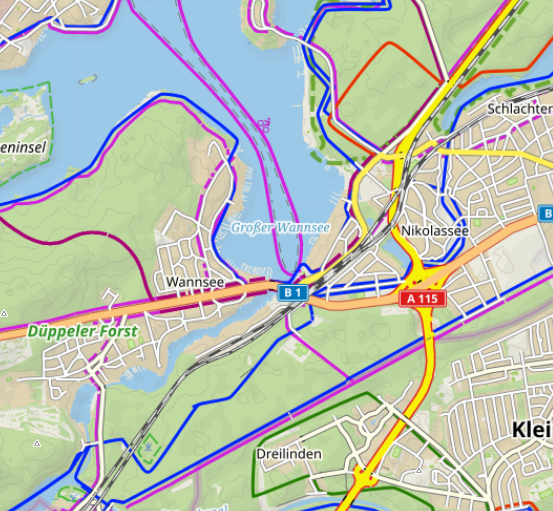
These are bike and hike paths from the Bike & hike theme . You can select another theme like City or Road if you don´t want to see them (All features > Map tools > Map themes)
These are bike and hike paths from the Bike & hike theme . You can select another theme like City or Road if you don´t want to see them (All features > Map tools > Map themes)
Hi Tom,
the cycling and hiking paths can be hidden when you use offline LoMaps containing map layers which you can turn off, or map themes that you can switch (more info: https://docs.locusmap.app/doku.php/manual:user_guide:mainscr_lpanel#map_themes).
Hi Tom,
the cycling and hiking paths can be hidden when you use offline LoMaps containing map layers which you can turn off, or map themes that you can switch (more info: https://docs.locusmap.app/doku.php/manual:user_guide:mainscr_lpanel#map_themes).
Replies have been locked on this page!