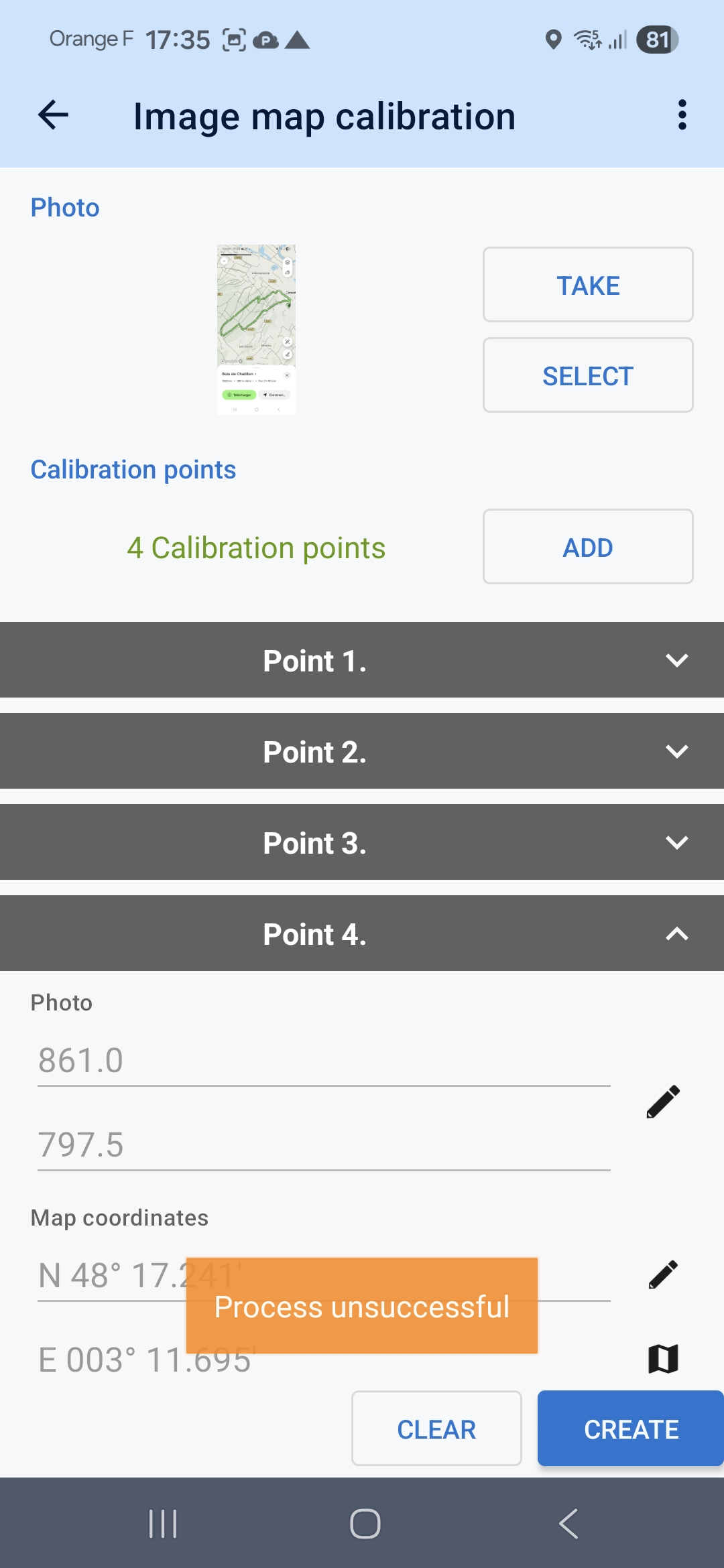
Laterst few versions of Locus maps on android image map calibration crashes
logs do not show error but UI shows that failed
09:19:28.370NEW START: 4.34.1
system: 12.0 (31)
device: Blackview, BV9200, BV9200
screen: 1080x2408px | 408 (mdpi) | 2.55)
device: 740aa77f6, 4e8c7751-2716-3bbf-b981-b797a39c3795
09:19:34.928EhloadTile(586, 300, 7)
09:43:22.909EOnBoardMapCalibratorgetPartOfImage(/storage/emulated/0/Android/data/menion.android.locus/files/Locus/cache/map/onBoardCalib/map.jpg, Rect(0, 4096 - 512, 3706))
09:43:22.910EhconstructMap(test, MapViewport [X0: -116740.89770887792, Y0: 577550.921733737, laXS: -9730.329064460704, laXC: -26.54134109581355, laYS: -4989.830323312432, laYC: -16.429300148505718, X0inv: 59.31570618317386, Y0inv: 23.711271438920342, laXSinv: 2.0040415570965388E-4, laXCinv: -3.3925678239073165E-7, laYSinv: 1.0276846383755478E-4, laYCinv: -5.461333694306569E-7, xMax: 2612.0, yMax: 3706.0])



 The same problem
Hi,
could you please send the JPG for testing? Thanks
Hi,
could you please send the JPG for testing? Thanks
Seems to fail for any image... Here is one.
Seems to fail for any image... Here is one.
Thanks, issue simulated, forwarded to the devs.
Thanks, issue simulated, forwarded to the devs.
I see its the same problem, as by Gergy V. Calibration works with unchecked "Optimize map"
I see its the same problem, as by Gergy V. Calibration works with unchecked "Optimize map"
Hi, this issue has been identified and is now being fixed. Thanks
Hi, this issue has been identified and is now being fixed. Thanks
Problem known see https://help.locusmap.eu/topic/40070-image-map-calibration-with-optimize-map-option-failing-with-process-unsuccessful.
Workaround until next version: uncheck the 'Optimize' option
Problem known see https://help.locusmap.eu/topic/40070-image-map-calibration-with-optimize-map-option-failing-with-process-unsuccessful.
Workaround until next version: uncheck the 'Optimize' option
Laterst few versions of Locus maps on android image map calibration crashes
logs do not show error but UI shows that failed
09:19:28.370NEW START: 4.34.1
system: 12.0 (31)
device: Blackview, BV9200, BV9200
screen: 1080x2408px | 408 (mdpi) | 2.55)
device: 740aa77f6, 4e8c7751-2716-3bbf-b981-b797a39c3795
09:19:34.928EhloadTile(586, 300, 7)
09:43:22.909EOnBoardMapCalibratorgetPartOfImage(/storage/emulated/0/Android/data/menion.android.locus/files/Locus/cache/map/onBoardCalib/map.jpg, Rect(0, 4096 - 512, 3706))
09:43:22.910EhconstructMap(test, MapViewport [X0: -116740.89770887792, Y0: 577550.921733737, laXS: -9730.329064460704, laXC: -26.54134109581355, laYS: -4989.830323312432, laYC: -16.429300148505718, X0inv: 59.31570618317386, Y0inv: 23.711271438920342, laXSinv: 2.0040415570965388E-4, laXCinv: -3.3925678239073165E-7, laYSinv: 1.0276846383755478E-4, laYCinv: -5.461333694306569E-7, xMax: 2612.0, yMax: 3706.0])
Laterst few versions of Locus maps on android image map calibration crashes
logs do not show error but UI shows that failed
09:19:28.370NEW START: 4.34.1
system: 12.0 (31)
device: Blackview, BV9200, BV9200
screen: 1080x2408px | 408 (mdpi) | 2.55)
device: 740aa77f6, 4e8c7751-2716-3bbf-b981-b797a39c3795
09:19:34.928EhloadTile(586, 300, 7)
09:43:22.909EOnBoardMapCalibratorgetPartOfImage(/storage/emulated/0/Android/data/menion.android.locus/files/Locus/cache/map/onBoardCalib/map.jpg, Rect(0, 4096 - 512, 3706))
09:43:22.910EhconstructMap(test, MapViewport [X0: -116740.89770887792, Y0: 577550.921733737, laXS: -9730.329064460704, laXC: -26.54134109581355, laYS: -4989.830323312432, laYC: -16.429300148505718, X0inv: 59.31570618317386, Y0inv: 23.711271438920342, laXSinv: 2.0040415570965388E-4, laXCinv: -3.3925678239073165E-7, laYSinv: 1.0276846383755478E-4, laYCinv: -5.461333694306569E-7, xMax: 2612.0, yMax: 3706.0])
Hi Kalmer,
could you please describe step by step how you get to the error? Thanks
regards
Michal, Locus team
Hi Kalmer,
could you please describe step by step how you get to the error? Thanks
regards
Michal, Locus team
Hi,
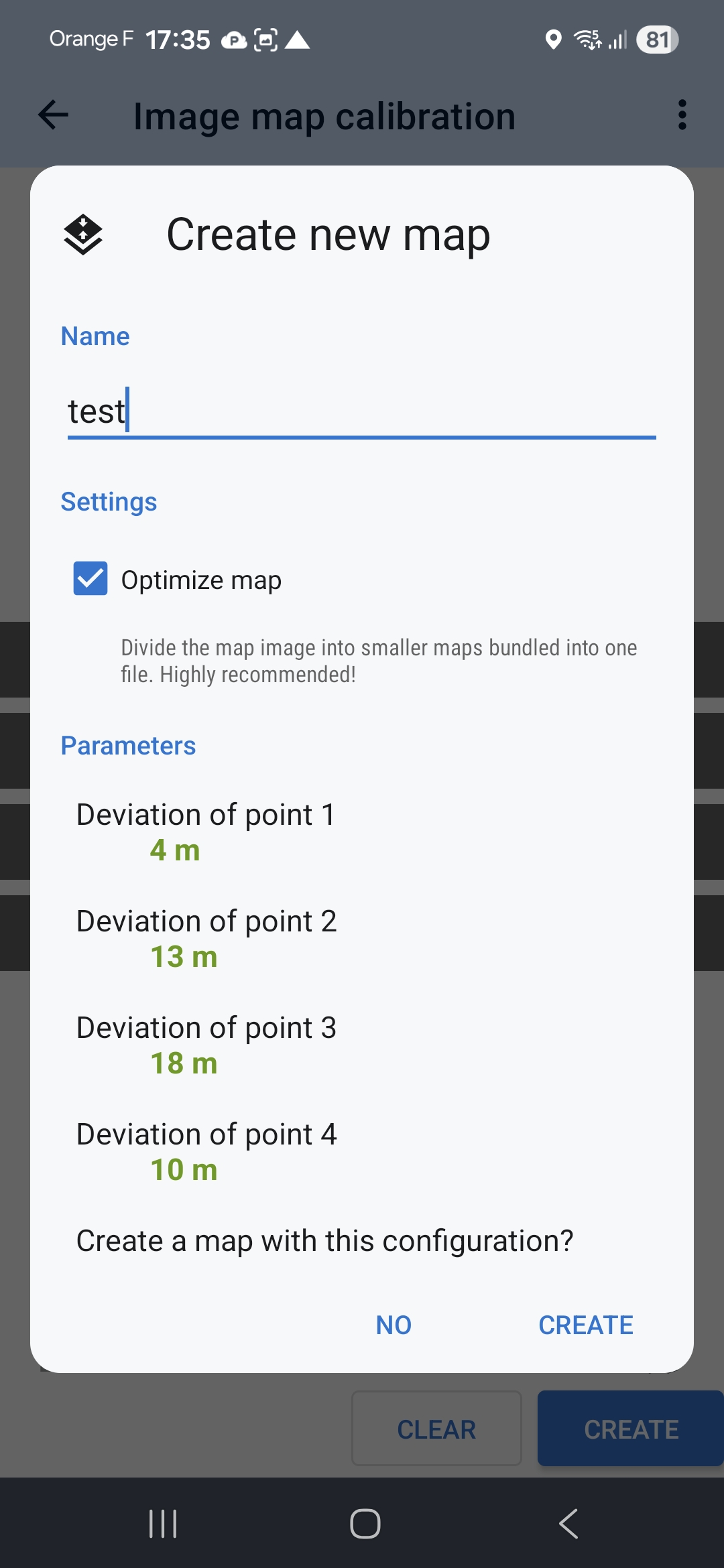
When calibration is done and you press "Create" and in coming dialog you give Name and choose settings "Optimize map"
when setting "optimize map" is set then process is unsuccessful
when setting "optimize map" is false then process is success
BR,
Kalmer Kand
Hi,
When calibration is done and you press "Create" and in coming dialog you give Name and choose settings "Optimize map"
when setting "optimize map" is set then process is unsuccessful
when setting "optimize map" is false then process is success
BR,
Kalmer Kand
Ladies and Gentlemen,
unfortunately it is never possible to kalibrate *.jpg-Pictures as active element. Please tell me how to do it right.
Kind regards
erdbunt
Ladies and Gentlemen,
unfortunately it is never possible to kalibrate *.jpg-Pictures as active element. Please tell me how to do it right.
Kind regards
erdbunt
Hi,
there is a problem in the app that we are currently working on. For the time being, please uncheck the option "optimize map":
regards
Michal, Locus team
Hi,
there is a problem in the app that we are currently working on. For the time being, please uncheck the option "optimize map":
regards
Michal, Locus team
Replies have been locked on this page!