


Position on elevation graph
Answered
I usually plan a route and then track the path I am doing looking to the map without navigation. I was used that when I opened the elevation graph of my plan I could see a dot showing where I currently was. I changed phone installing again locus and now I cannot see my position on the elevation graph. How can I see it again?
Files:
Screenshot_2026...
 The same question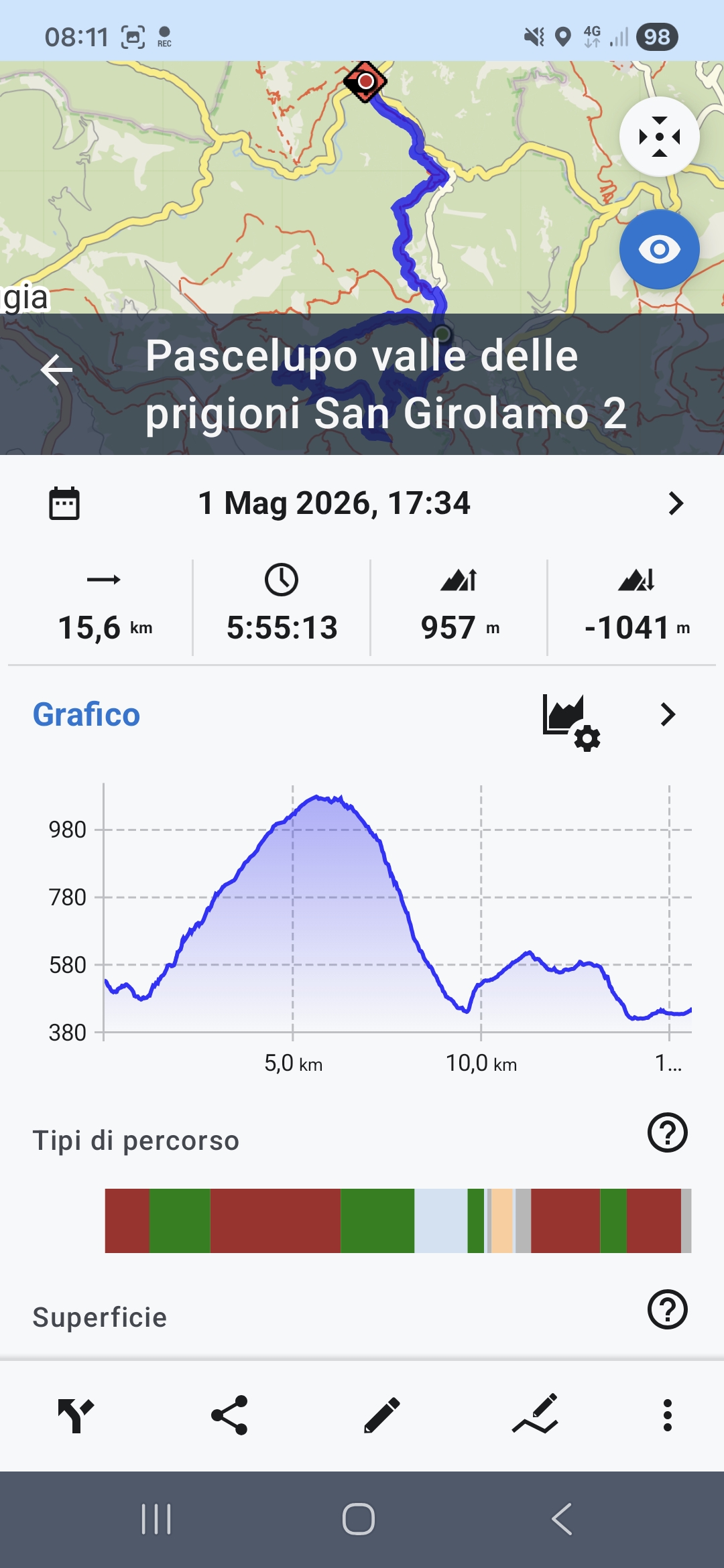
Hi Luca,
tap the route on the map, not in the library:
Hi Luca,
tap the route on the map, not in the library:
I am not able to see as your screenshot. If I move my finger on the graph I do not see the point on the map (that is a small part of the screen)
However with previous phone I automatically saw the point where I was on the map without any operation, and I was not in navigation mode
I am not able to see as your screenshot. If I move my finger on the graph I do not see the point on the map (that is a small part of the screen)
However with previous phone I automatically saw the point where I was on the map without any operation, and I was not in navigation mode
You activated the route in the library. Activate it on the map:
Then you'll be able to tap the route to see the position on the chart:
You activated the route in the library. Activate it on the map:
Then you'll be able to tap the route to see the position on the chart:
If I push that button the map becomes full screen and I do not see anymore the graph
If I push that button the map becomes full screen and I do not see anymore the graph
Then you'll be able to TAP THE ROUTE ON THE MAP to see the position on the chart:
Then you'll be able to TAP THE ROUTE ON THE MAP to see the position on the chart:
Now it's clear: if I keep pressed on the track and tap again I see the graph.
Thank you very much.
Now it is acceptable for me to use, even if it does not work as in my previous phone as described in my first message
Now it's clear: if I keep pressed on the track and tap again I see the graph.
Thank you very much.
Now it is acceptable for me to use, even if it does not work as in my previous phone as described in my first message
Replies have been locked on this page!