


Tip centered Navigation arrow: why are there two?
Answered
I Downloaded it from Locus store. Why do I see 2 Arrows? In Lo3 I saw one, as expected.
Files:
Screenshot_2026...
 The same question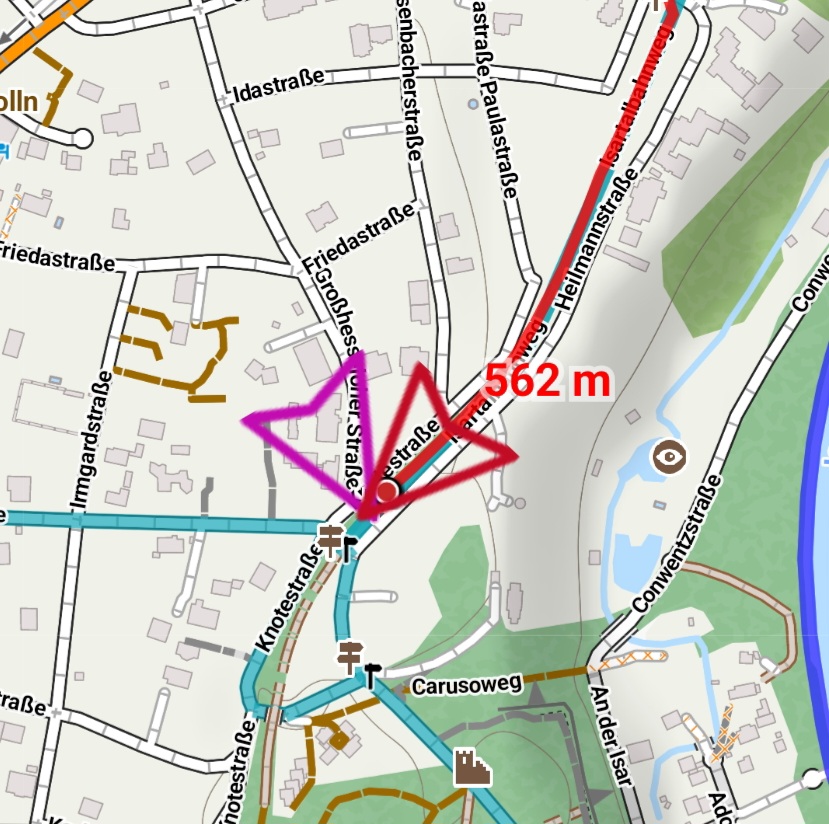
Hi Werner,
go to settings > navigation > advanced settings > snap to route - turn it ON.
More info: https://docs.locusmap.app/doku.php/manual:user_guide:functions:navigation:settings#snap_to_route
Hi Werner,
go to settings > navigation > advanced settings > snap to route - turn it ON.
More info: https://docs.locusmap.app/doku.php/manual:user_guide:functions:navigation:settings#snap_to_route
Go to settings > maps > auxiliary graphics > show view - turn it OFF.
Go to settings > maps > auxiliary graphics > show view - turn it OFF.
Replies have been locked on this page!