


high memory in App Info, clear storage nor available
Answered
Hello,
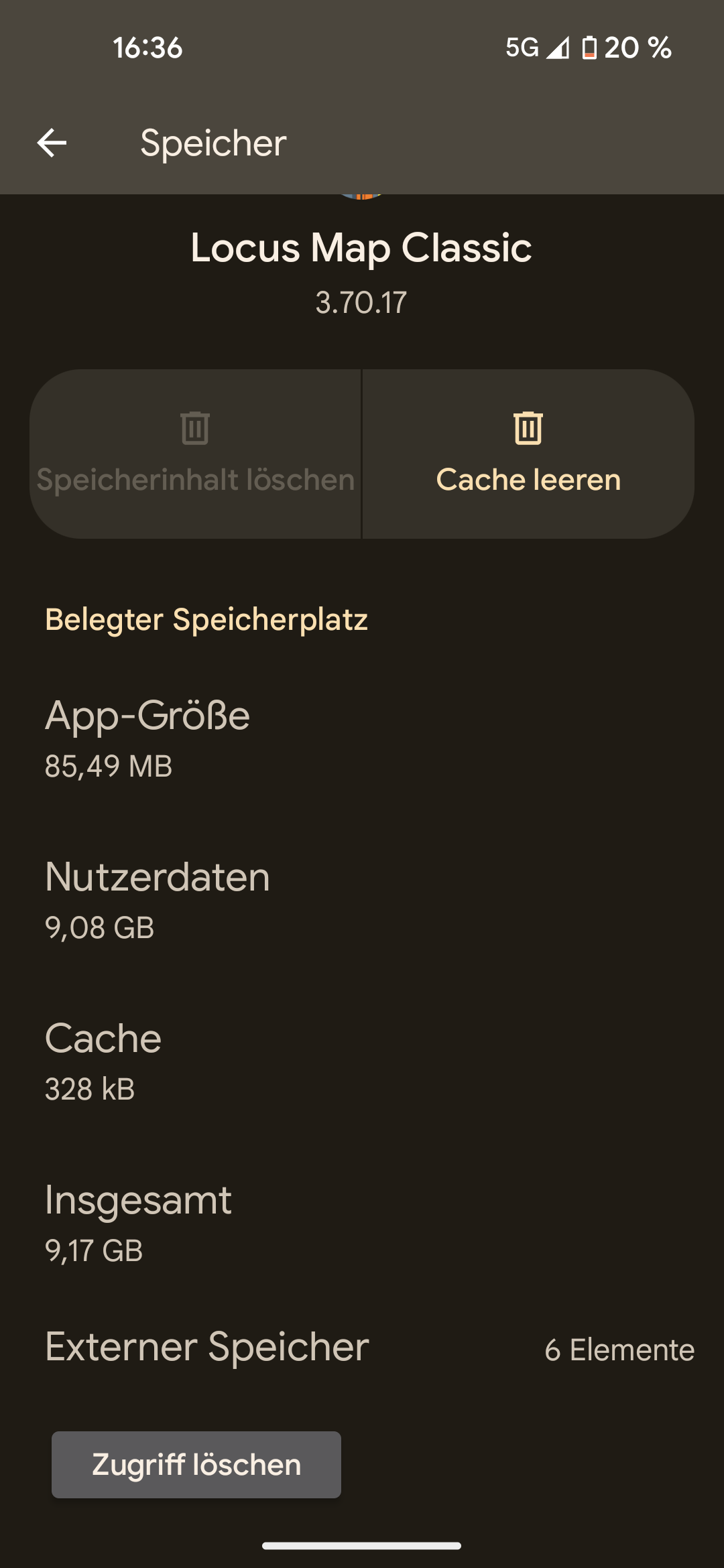
in the app information (“App Info”) of Locus Map on my Android phone (Pixel 5), a very high storage and cache usage is displayed. It shows that I have 9.08 GB of user data. The “Clear storage” button is grayed out and cannot be tapped.
I have deleted all downloaded maps and also cleared the map cache. Where can I find the 9 GB of data, or how can I delete it?
Two screenshots are attached. I cannot open the path shown in the screenshot. I am unable to open the “Data” folder.
Thank you very much,
Torsten
 The same question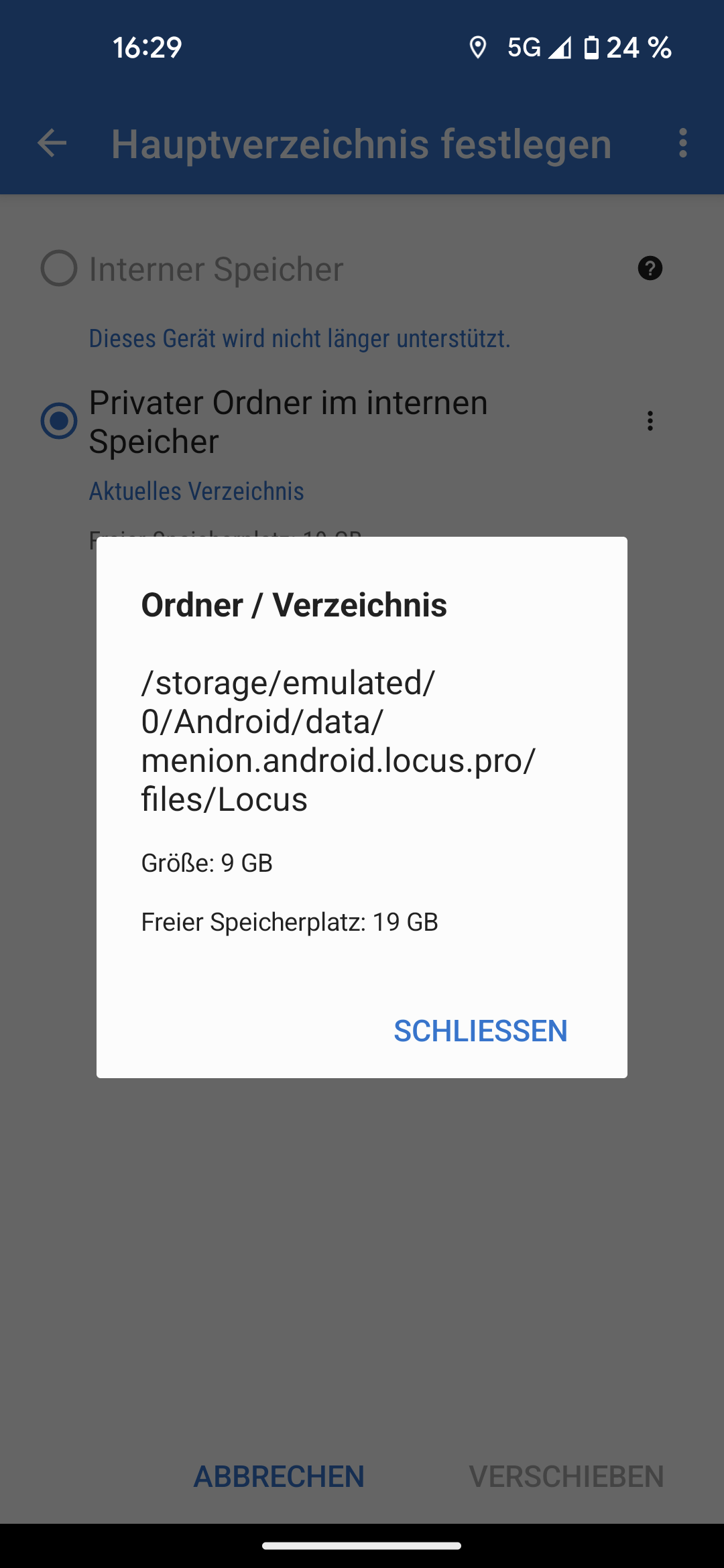
Hi Torsten,
could you please open settings > miscellaneous > default directories > set custom sub-directories and send a screenshot? Thanks
Hi Torsten,
could you please open settings > miscellaneous > default directories > set custom sub-directories and send a screenshot? Thanks
Hello,
Attached the the screenshot.
Thanks Torsten
Hello,
Attached the the screenshot.
Thanks Torsten
Thanks. You wrote that you deleted all the maps. How did you do that? In the maps manager or with the system file browser? Do you see any maps in the map manager offline tab? Do you also use Locus Map 4?
Thanks. You wrote that you deleted all the maps. How did you do that? In the maps manager or with the system file browser? Do you see any maps in the map manager offline tab? Do you also use Locus Map 4?
I do it in the map Manager. I only use LocusMap3
There is only the germany map. with ~4GB. there are 5gb "left"
I do it in the map Manager. I only use LocusMap3
There is only the germany map. with ~4GB. there are 5gb "left"
What about backup, media or elevation data? Check the size of the Locus/backup, Locus /data/media and Locus/data/srtm directories. I'm afraid this is not possible with a system file browser, so please use Total Commander, Solid Explorer, or Xplore.
What about backup, media or elevation data? Check the size of the Locus/backup, Locus /data/media and Locus/data/srtm directories. I'm afraid this is not possible with a system file browser, so please use Total Commander, Solid Explorer, or Xplore.
Thanks for the help. I found a lot of small files in the srtm folder. There's also some very old data in the backup folder. Can these be deleted? The media folder is empty. I also deleted the map of Germany. Now it's showing a storage usage of 4.15 GB. I still think that's a lot. Torsten
Thanks for the help. I found a lot of small files in the srtm folder. There's also some very old data in the backup folder. Can these be deleted? The media folder is empty. I also deleted the map of Germany. Now it's showing a storage usage of 4.15 GB. I still think that's a lot. Torsten
If you delete SRTM, you'll lose the option to use all features that need offline elevation data - elevation charts for routes, terrain shading, dynamic elevation on the position of the map cursor... However, you can always re-download the necessary data. Old backups - I personally keep 3 complete backup files rendered by the automatic backup service, not older than a week.
If you delete SRTM, you'll lose the option to use all features that need offline elevation data - elevation charts for routes, terrain shading, dynamic elevation on the position of the map cursor... However, you can always re-download the necessary data. Old backups - I personally keep 3 complete backup files rendered by the automatic backup service, not older than a week.
Is ~4 GB a normal size for Locus Maps? I still think that's a lot, even without maps, cache, or backups.
Why can't I delete user data in the "App Info"?
Is ~4 GB a normal size for Locus Maps? I still think that's a lot, even without maps, cache, or backups.
Why can't I delete user data in the "App Info"?
As you can see, the app has cca 88 MB size. The 4 GB is the user's data. If you create a data dump (settings > miscellaneous > default directories > unload app data) and share it with me for a test, I can analyse what takes so much space in your case.
As you can see, the app has cca 88 MB size. The 4 GB is the user's data. If you create a data dump (settings > miscellaneous > default directories > unload app data) and share it with me for a test, I can analyse what takes so much space in your case.
I think I’ve figured it out. I backed up the app data and checked the folders. In the mapsVector folder, there are about 3.71 GB of data that has not been deleted.
A screenshot is attached.
I think I’ve figured it out. I backed up the app data and checked the folders. In the mapsVector folder, there are about 3.71 GB of data that has not been deleted.
A screenshot is attached.
And these maps are not visible in the map manager > offline?
And these maps are not visible in the map manager > offline?
Yes. It's empty
Yes. It's empty
Before, there was at least the map of Germany. Did you delete it, too?
Before, there was at least the map of Germany. Did you delete it, too?
To see how much storage is used without any maps, I deleted the Germany map. Now only "remnants" remain in the app, which account for the storage usage.
To see how much storage is used without any maps, I deleted the Germany map. Now only "remnants" remain in the app, which account for the storage usage.
When you update those "invisible" maps to the latest version, does the app see them in the map manager?
When you update those "invisible" maps to the latest version, does the app see them in the map manager?
Do you use OAM's automatic installation?
Do you use OAM's automatic installation?
Replies have been locked on this page!