


Online map tile stitching shows seams.
Answered
With a light-colored map they are not noticeable and are left unaddressed, but when using a dark map, regular seams become clearly visible.
Files:
1.jpg
 The same question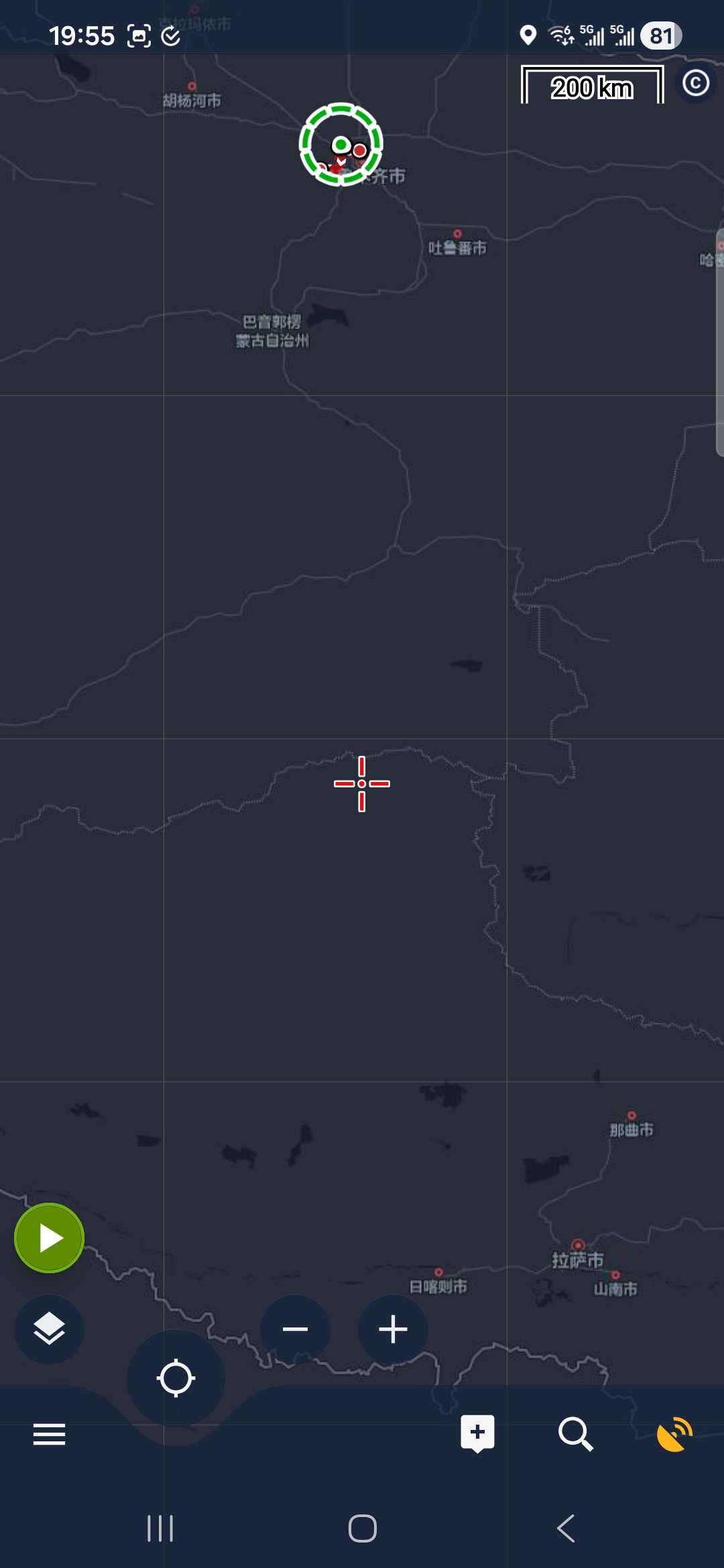
Hi,
what kind of map is it?
Hi,
what kind of map is it?
Hi,
Thanks for the detailed report and the example map. The thin lines were caused by tiny rounding gaps between neighbouring map tiles, which only stood out on dark maps and high-resolution screens. We've fixed it so that adjacent tiles slightly overlap and the seams no longer appear — the change will be included in one of the next app updates.
Hi,
Thanks for the detailed report and the example map. The thin lines were caused by tiny rounding gaps between neighbouring map tiles, which only stood out on dark maps and high-resolution screens. We've fixed it so that adjacent tiles slightly overlap and the seams no longer appear — the change will be included in one of the next app updates.
Replies have been locked on this page!