


Share - Track preview - bigger lines
Answered
Hi,
Im not sure if this is an issues or if I missed an option for this.
I often use the share option of an recorded track with the track preview.
In locus map 3 the preview follows the user defines Style of the drawn track line.
In locus map 4 the line of the track ins really thin and difficulty to identify the track directly.
Is there any option to increase the line sizes?
Br
Peter
Files:
Screenshot_2026...
 The same question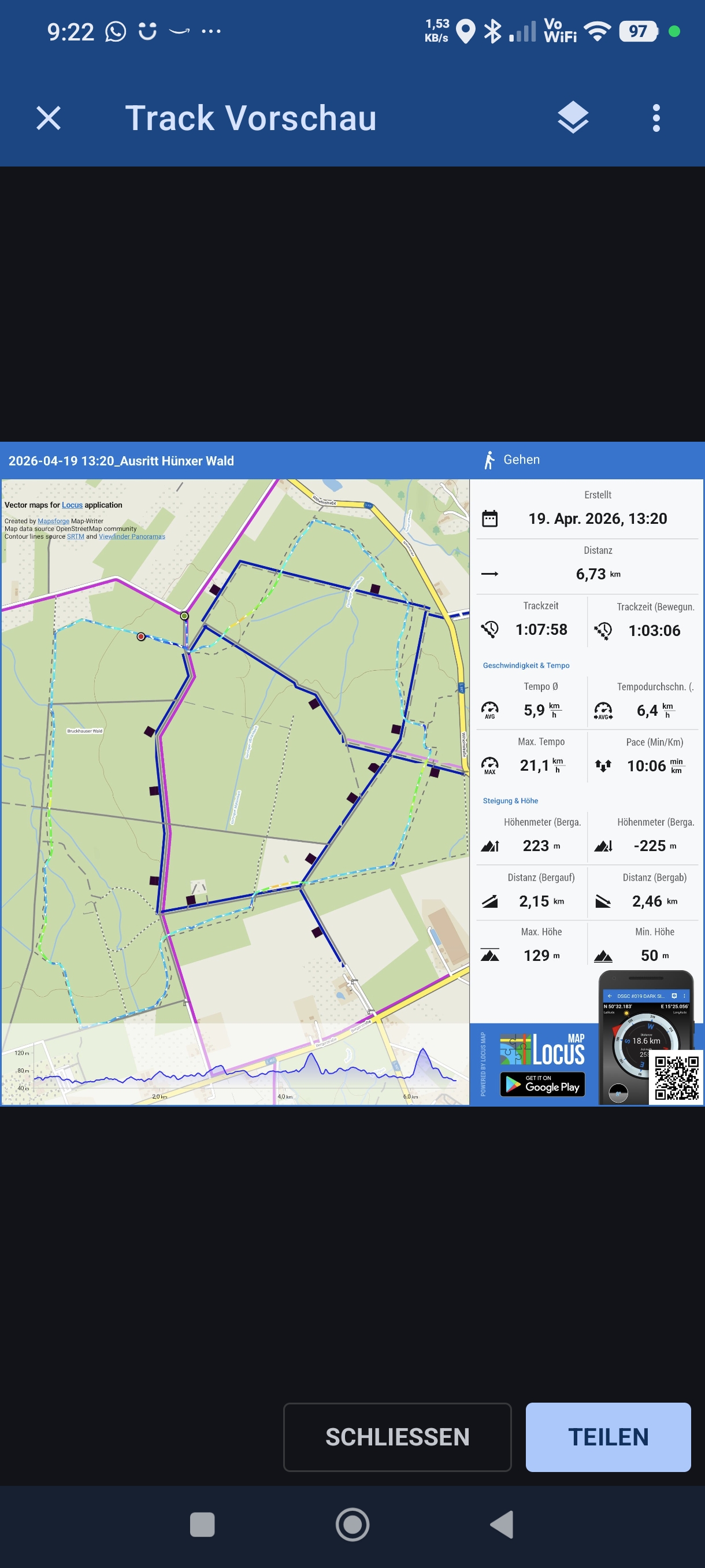
Hi Peter,
you're right, Locus Classic renders the track line a bit thicker on the track overview. I've forwarded the request to the devs.
Hi Peter,
you're right, Locus Classic renders the track line a bit thicker on the track overview. I've forwarded the request to the devs.
Unfortunately the line is thin again in the latest update 4.35.0.
There are a lot of improvements included but not a fix of my issue. I share the done track with the preview option but with this thin line I can't see the track directly. I would like to have it like in locus map basic... Here I can define the line style an size of the track line. See attached images to see the difference.
I think is also a good advertising to show that i used locus map of u share it this way.
Br
Peter
Unfortunately the line is thin again in the latest update 4.35.0.
There are a lot of improvements included but not a fix of my issue. I share the done track with the preview option but with this thin line I can't see the track directly. I would like to have it like in locus map basic... Here I can define the line style an size of the track line. See attached images to see the difference.
I think is also a good advertising to show that i used locus map of u share it this way.
Br
Peter
Hi Peter,
sorry for the delay. The issue will be fixed in the next app version.
Hi Peter,
sorry for the delay. The issue will be fixed in the next app version.
Replies have been locked on this page!