


seems like it is always on resulting in higher battery use

GPS disable when app is hidden broken since 4.35.0
Solved
Since upgrading to 4.35.0, Locus keeps acquiring location even if the app is in the background, draining battery like mad.
Steps to reproduce:
1. start Locus - no nav, no guidance, no recording, literally just start it
2. switch to phone home screen
3. observe in the Android status bar that something is keeping the GPS on
4. quit Locus
5. location icon disappears from Android status bar
Files:
Screenshot_2026...
 The same problem
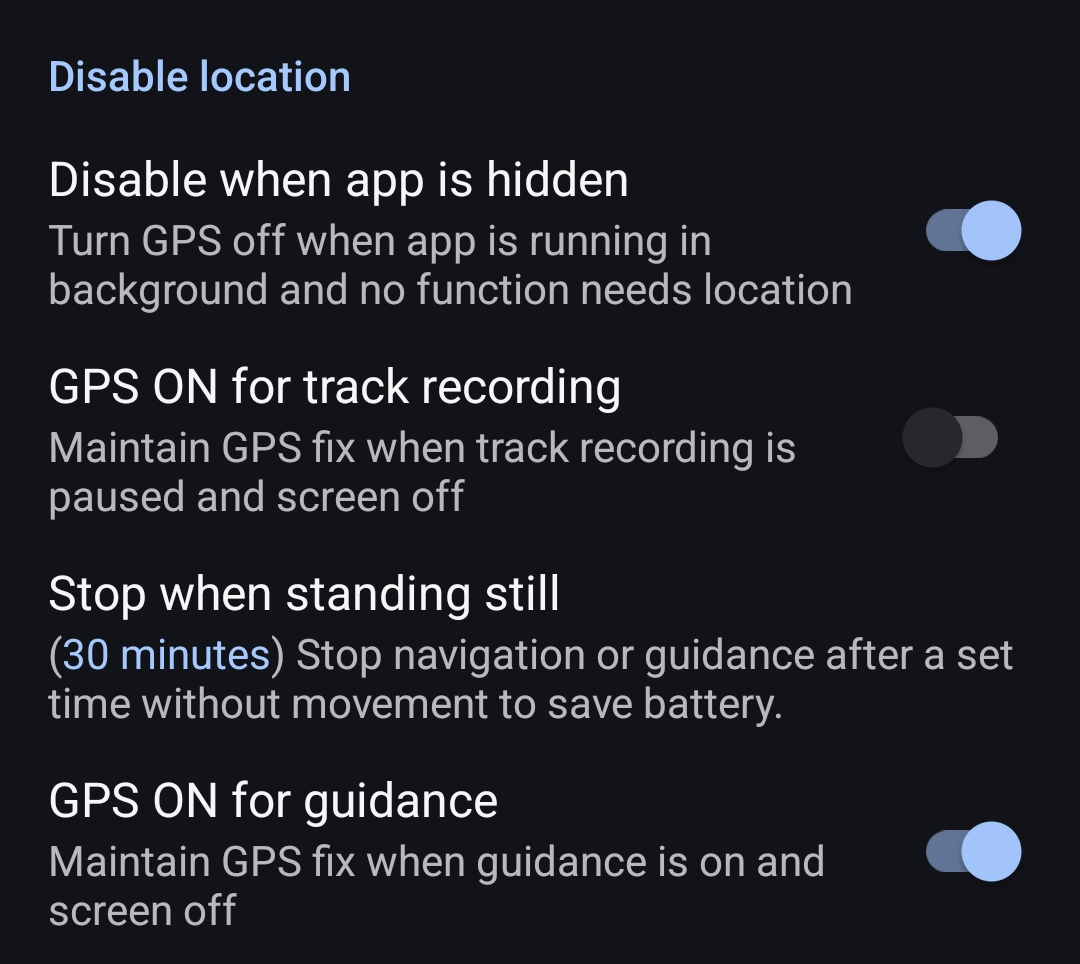
seems like it is always on resulting in higher battery use
seems like it is always on resulting in higher battery use
Hi Thomas,
could you please describe in detail how you turn off GPS when the app is in the background? Do you use the option provided in the expert settings? Thanks
regards
Michal, Locus team
Hi Thomas,
could you please describe in detail how you turn off GPS when the app is in the background? Do you use the option provided in the expert settings? Thanks
regards
Michal, Locus team
Yes, I use the option in settings/GPS & Sensors
Yes, I use the option in settings/GPS & Sensors
Hi,
please send a screenshot of this settings section:
Also, please send any reference to the battery consumption of Locus Map when it is running in the background. Thanks.
regards
Michal
Hi,
please send a screenshot of this settings section:
Also, please send any reference to the battery consumption of Locus Map when it is running in the background. Thanks.
regards
Michal
ok, see attached
ok, see attached
OK, thanks.
Could you please check if the GPS icon is ON when Locus Map is on? And OFF when Locus Map is in the background? It should work like this:
regards
Michal
OK, thanks.
Could you please check if the GPS icon is ON when Locus Map is on? And OFF when Locus Map is in the background? It should work like this:
regards
Michal
it's also on when Locus is in the background, but when I turn off gps manually within the app, the status bar icon disappears.
it's also on when Locus is in the background, but when I turn off gps manually within the app, the status bar icon disappears.
Hi, some colleagues managed to replicate the problem so the bug has been escalated to the devs. Thanks for reporting it.
regards
MIchal, Locus team
Hi, some colleagues managed to replicate the problem so the bug has been escalated to the devs. Thanks for reporting it.
regards
MIchal, Locus team
Sorry for not responding to any queries, I haven't been getting any notifications emails from locusmap.eu - I don't suppose anyone could look into that as well? Thx
Sorry for not responding to any queries, I haven't been getting any notifications emails from locusmap.eu - I don't suppose anyone could look into that as well? Thx
Hi,
please test the problem with the latest beta available at https://bit.ly/lmVersionsTest. Thanks!
Hi,
please test the problem with the latest beta available at https://bit.ly/lmVersionsTest. Thanks!
Same problem here with Motorola Edge 60 Neo: after finishing track recording, if I leave the app using the Home button, the GPS icon remains active even though recording has stopped. If I reopen Locus and exit using the Back button until the app closes, the GPS icon immediately disappears.
Same problem here with Motorola Edge 60 Neo: after finishing track recording, if I leave the app using the Home button, the GPS icon remains active even though recording has stopped. If I reopen Locus and exit using the Back button until the app closes, the GPS icon immediately disappears.
I'll try the beta version. I just wanted to report that closing the app can temporarily work around the background issue.
I'll try the beta version. I just wanted to report that closing the app can temporarily work around the background issue.
Replies have been locked on this page!