


Recorded Track not accurate even run as a service
Not a Problem
The recorded Tracks with Locus Maps are not accurate while on parallel other APPs are accurate (sitting and walking with no elevation gain).
Battery saving is disabled and Locus Maps even run as a service.
V 4.35.0 Android 16 Samsung A53
On my Galaxy S20 everything is working.
Any help?
I realy tried different settings
 The same problem
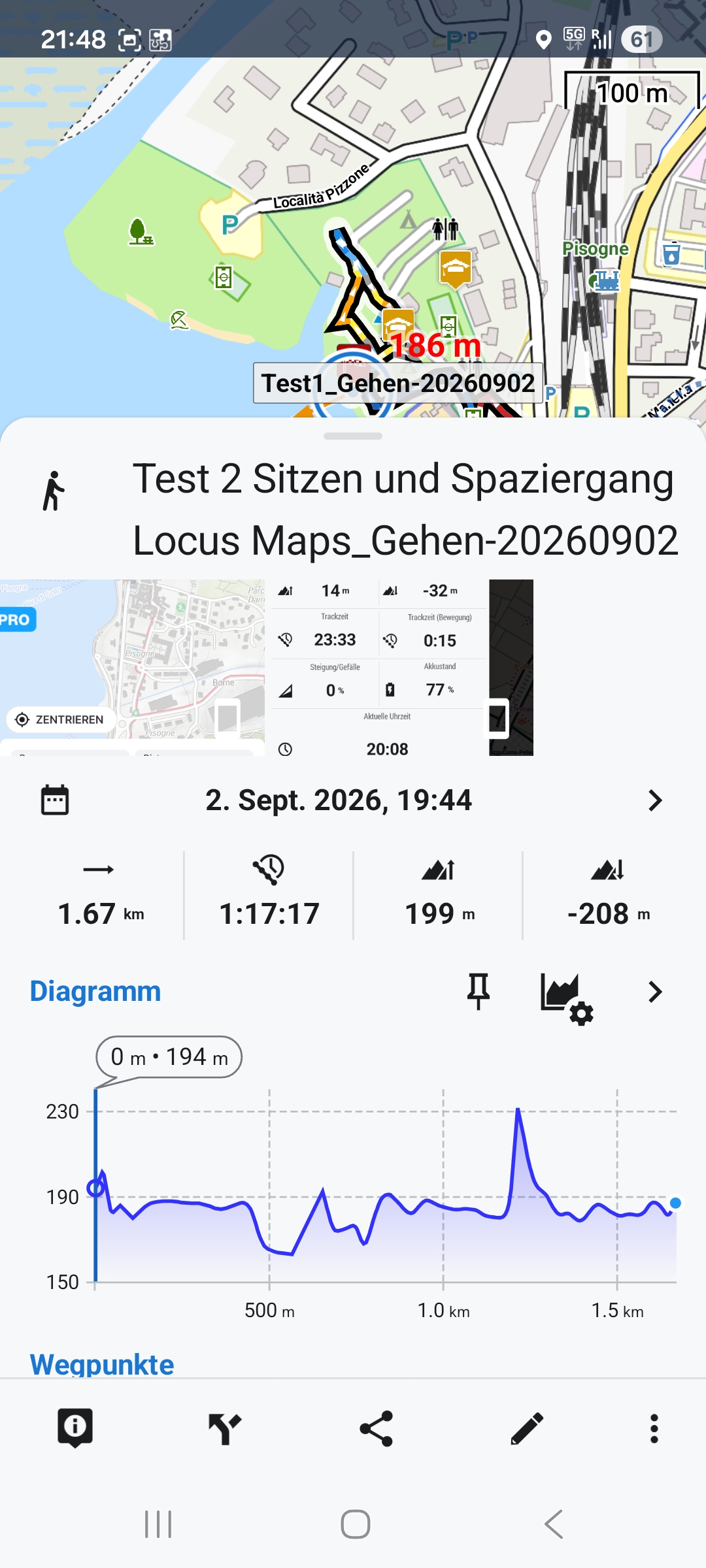
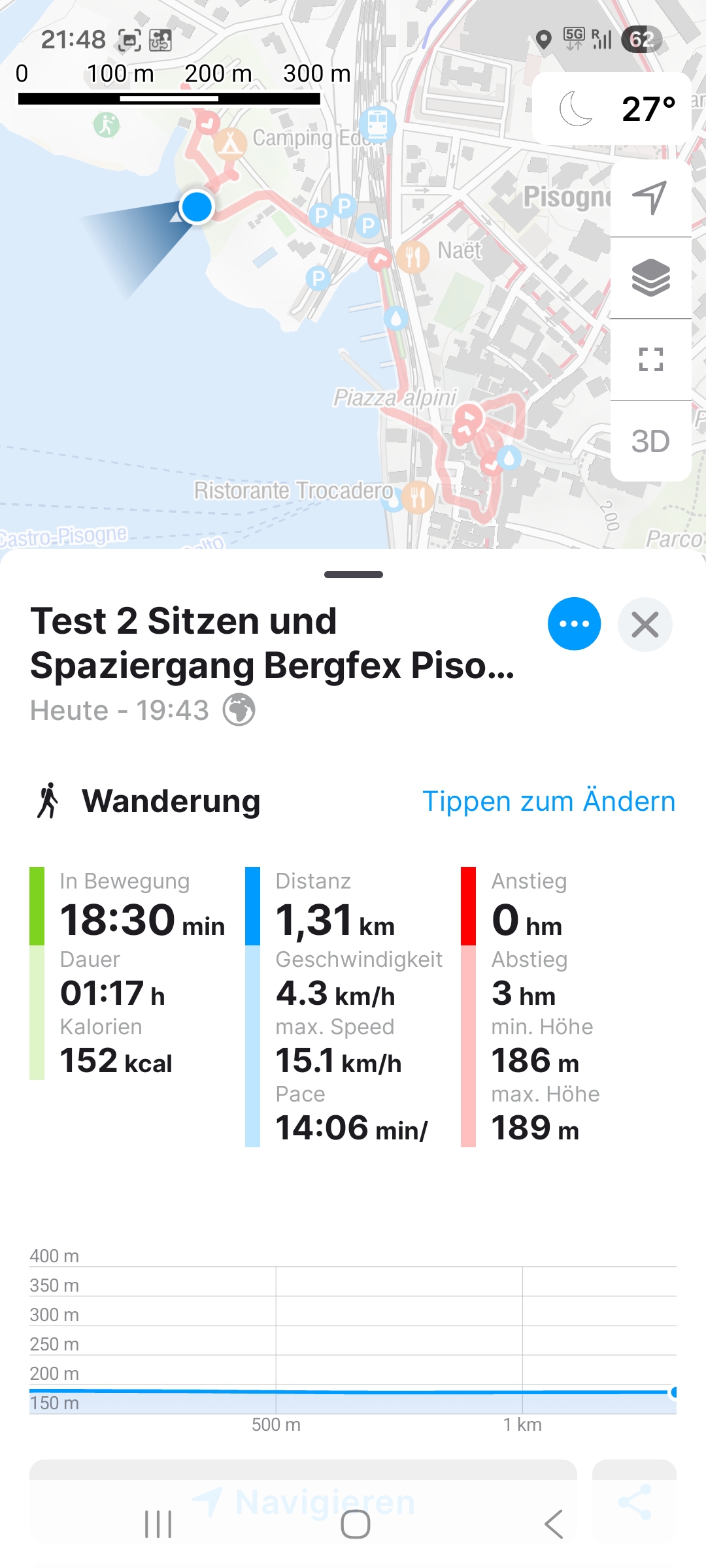
Don’t use GPS for altitude – it’s far too inaccurate. Use the offline altitude data instead. You can set this in the settings using the Altitude Manager.
Don’t use GPS for altitude – it’s far too inaccurate. Use the offline altitude data instead. You can set this in the settings using the Altitude Manager.
Hi,
Locus Map processes elevation gain from the data it receives from your phone's GPS. The resulting elevation gain is also incorrect if the data is incorrect or contains huge deviations. Locus Map, however, offers a few methods to limit these deviations.
Open Locus settings > GPS&sensors:
Hi,
Locus Map processes elevation gain from the data it receives from your phone's GPS. The resulting elevation gain is also incorrect if the data is incorrect or contains huge deviations. Locus Map, however, offers a few methods to limit these deviations.
Open Locus settings > GPS&sensors:
Thank you for the advice.
I try this settings and hope the altitude will be ok.
Then there is still the problem off the horizontal jumps in the track and therefore wrong distance summary. See an typical jump in the attachement.
Thank you for the advice.
I try this settings and hope the altitude will be ok.
Then there is still the problem off the horizontal jumps in the track and therefore wrong distance summary. See an typical jump in the attachement.
The jumps are typical GPS deviations that should be removed after you apply the recommended measures, especially when you replace GPS values with the offline elevation data.
The jumps are typical GPS deviations that should be removed after you apply the recommended measures, especially when you replace GPS values with the offline elevation data.
Thanks for the instructions; I’ve implemented them. The jumps have become fewer and smaller, but they are still there. I remain dissatisfied with the current Locus Maps settings, given that the software running in parallel on the same mobile device delivers accurate results out of the box without any optimization.
Achieving that level of performance with Locus Maps is the goal. Until then, I am unhappy and am considering giving up my plus subscription after many years.
--> Am I overlooking something?
--> Is there a way to contact support directly to discuss improvements?
Thanks for the instructions; I’ve implemented them. The jumps have become fewer and smaller, but they are still there. I remain dissatisfied with the current Locus Maps settings, given that the software running in parallel on the same mobile device delivers accurate results out of the box without any optimization.
Achieving that level of performance with Locus Maps is the goal. Until then, I am unhappy and am considering giving up my plus subscription after many years.
--> Am I overlooking something?
--> Is there a way to contact support directly to discuss improvements?
Hi,
every app or service uses a different way of smoothing the elevation jumps. If you are still dissatisfied, you can apply a custom altitude threshold. More information: https://docs.locusmap.app/doku.php/manual:faq:wrong_gps_data#light_deviations.
Hi,
every app or service uses a different way of smoothing the elevation jumps. If you are still dissatisfied, you can apply a custom altitude threshold. More information: https://docs.locusmap.app/doku.php/manual:faq:wrong_gps_data#light_deviations.
Replies have been locked on this page!