


This object is in archive!

Map Night mode incorrectly applied
Solved
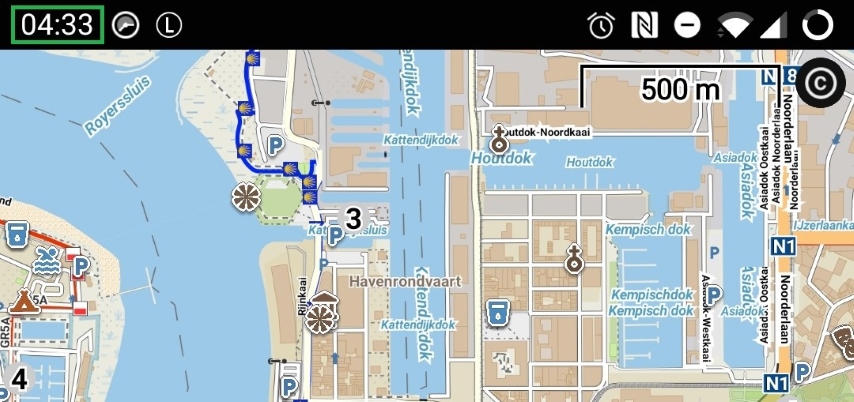
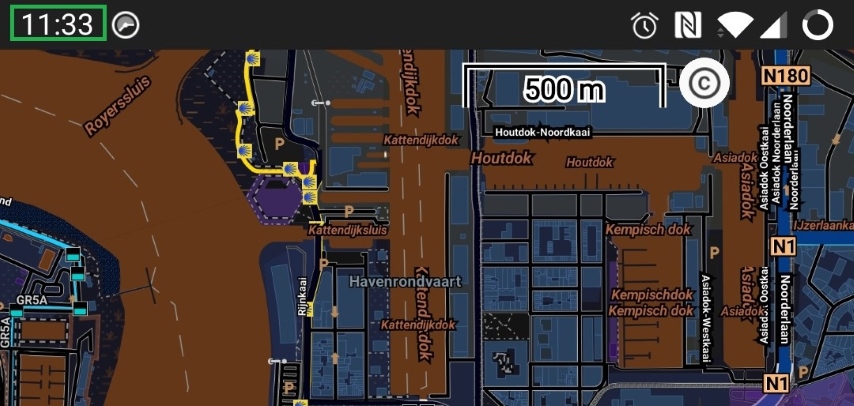
Since the latest update (v4.1.0) it seems that something went wrong in the map Night Mode: when enabled (Settings → Maps → Advanced Features → Map color mode: Night mode, change automatically) the map turns dark during the day and turns light during the night :-)
I tested this by changing my clock manually: at night (screenshot at 04:33h) the map colours are light. During the day (screenshot at 11:33h) the map colours are dark.
Work-around: disable the "change automatically" and manually enable/disable the night mode
 The same problem
Hello Auric,
thank you, good observation! Issue found and fixed. Will be working as expected in next app version.
Menion
Hello Auric,
thank you, good observation! Issue found and fixed. Will be working as expected in next app version.
Menion
Thank you for the quick resolution :-)
Thank you for the quick resolution :-)
Replies have been locked on this page!