


Is this points filter method still possible
Answered
I use custom poi broken out by numerous different icons. I zip the gpx's together with each icon png and create one zip file that I upload. I believe it would create a filter like the attached. I could then select just the icon types I want to see on the map at each use. I'm struggling with how to do this now. My goal is to upload everything, but then be able to quickly see on the map just those poi with certain icons only. Thanks.
Files:
2019-04-05 14.1...
 The same question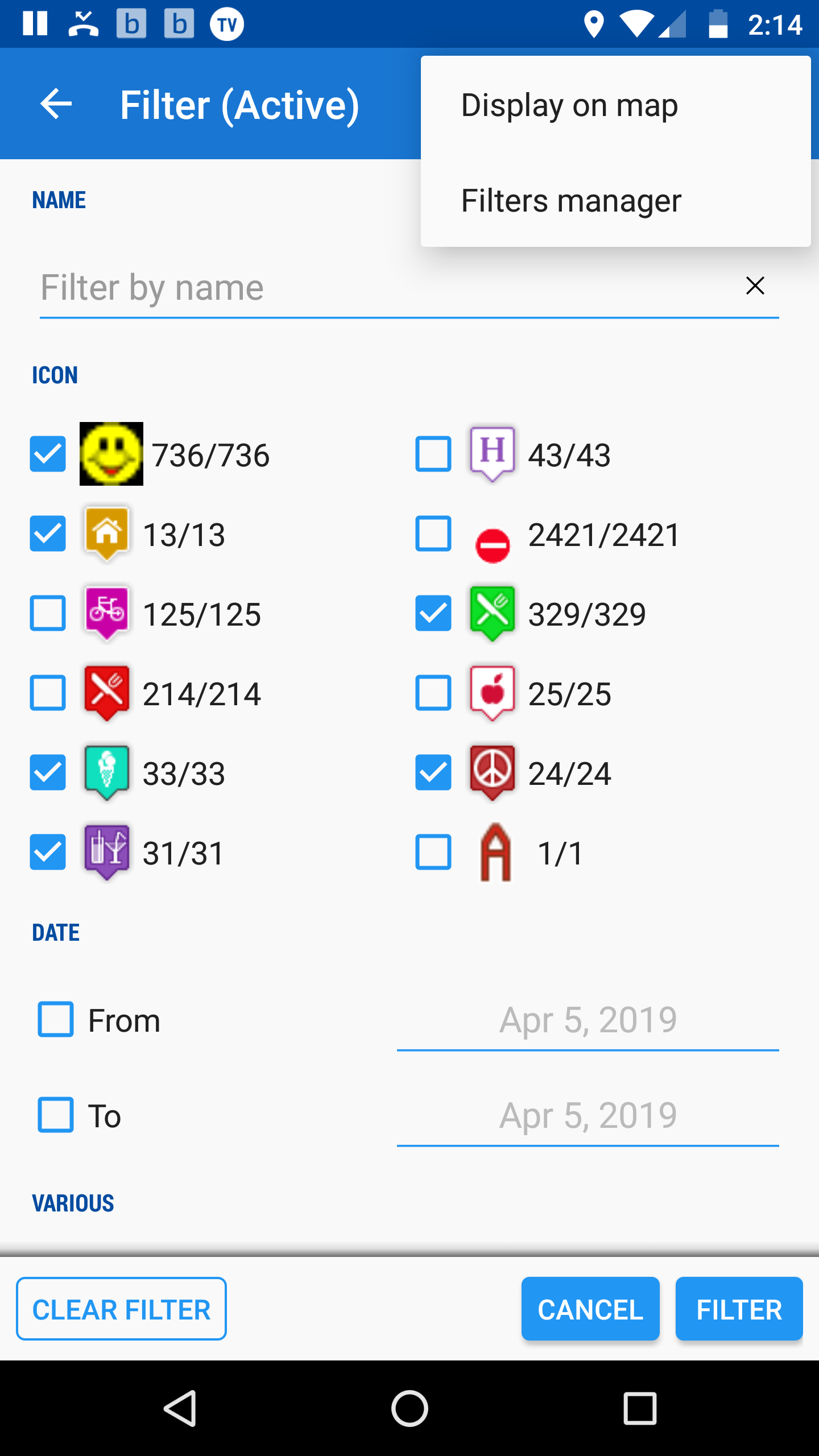
Hi Alan,
yes, it's possible.
- tap ADD on the point tab of the filter
- select "icons in folder"
- choose which icons to filter
Hi Alan,
yes, it's possible.
- tap ADD on the point tab of the filter
- select "icons in folder"
- choose which icons to filter
I've been doing that except I pick from my External icons from one of my "_exports" which are those I uploaded. Then I press the Filter button at the bottom. I'm not seeing filtering. Or sometimes I get: Sorry, this filter doesn't bring any results. I'm kind of going around in circles.
I've been doing that except I pick from my External icons from one of my "_exports" which are those I uploaded. Then I press the Filter button at the bottom. I'm not seeing filtering. Or sometimes I get: Sorry, this filter doesn't bring any results. I'm kind of going around in circles.
If you need to filter points from a certain folder, choose the option "icons in folder". This will filter the points within the folder by their icons. If you choose icons from elsewhere, the filter will show no results because such icons are not inside the folder.
If you need to filter points from a certain folder, choose the option "icons in folder". This will filter the points within the folder by their icons. If you choose icons from elsewhere, the filter will show no results because such icons are not inside the folder.
Replies have been locked on this page!