


Slope gradient values?
Answered
When locus colors a track with a gradient, I believe it has set numeric values in the software to represent actual slope numbers.
Having ridden this track (Ophir pass in CO) and went down 6 times in 1 mile I know it intimately as I lay there in the rocks gasping for air at 11,000 feet.
I do not believe you can enter these values.
Here is my guess as to the colors of the slope:
below 30 degrees=base color, oranges
30=light red
35=red
40=dark red
Does anyone know the correct values used?
Files:
ophir locus.jpeg
 The same question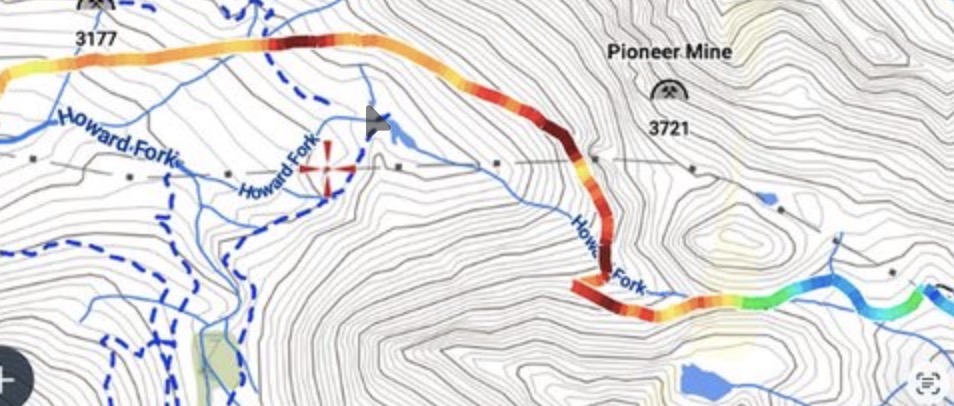
In Locus Map (and similar OSM-based engines), the slope gradient is typically calculated as a percentage (%) rather than degrees, which is a crucial distinction for your calculations.
In Locus Map (and similar OSM-based engines), the slope gradient is typically calculated as a percentage (%) rather than degrees, which is a crucial distinction for your calculations.
Thanks for the response. if percentage that is "relative" to the entire track. I believe Locus does not do it that way. it is much better to calculate it "Absolute" with values? Can a DEV please answer this definitively???
Thanks for the response. if percentage that is "relative" to the entire track. I believe Locus does not do it that way. it is much better to calculate it "Absolute" with values? Can a DEV please answer this definitively???
Hi,
Yes, the slope values are calculated as a percentage.
The coloring on the map is based on the full range of the track. First, the app finds the minimum and maximum slope values. Then, it sets the range so that "0" is correctly in the middle. Finally, it computes the colors. You can set a custom slope range to avoid this dynamic range entirely. Edit the track line style and click the "Pencil" icon on the right. Hope this helps!
Hi,
Yes, the slope values are calculated as a percentage.
The coloring on the map is based on the full range of the track. First, the app finds the minimum and maximum slope values. Then, it sets the range so that "0" is correctly in the middle. Finally, it computes the colors. You can set a custom slope range to avoid this dynamic range entirely. Edit the track line style and click the "Pencil" icon on the right. Hope this helps!
Replies have been locked on this page!