


Display "To end" and "From start"
Answered
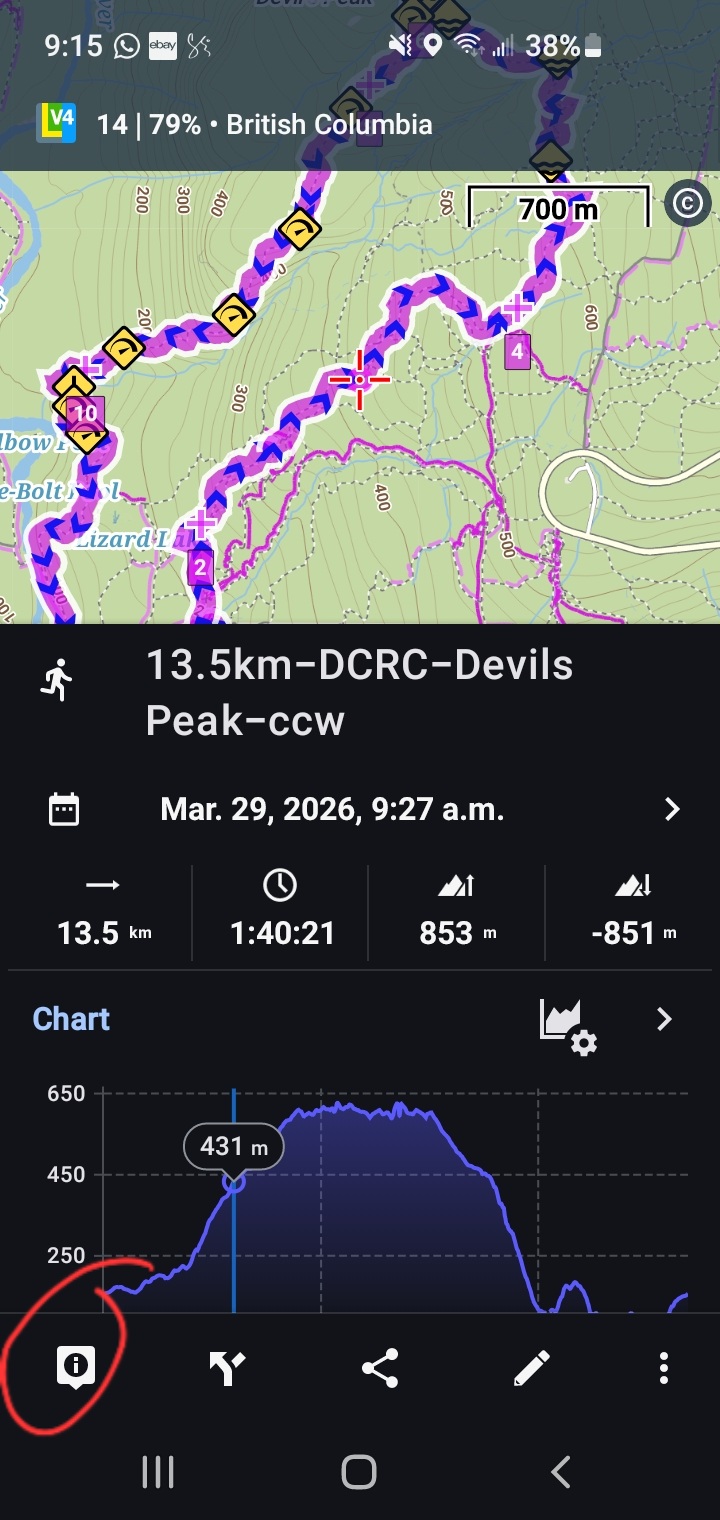
Several iterations ago, when I selected a point on my track, I would see the "To end" and "From start" distances on the same screen below the map. This was extremely helpful to know on-the-fly. At some point during a newer version, this got moved. Now, the icon in the lower left corner must be selected to see this data (see first two attached screenshots). Honestly, when I'm on the go during a trail run, that extra tap has been frustrating. Any chance that data can be returned to the first screen?
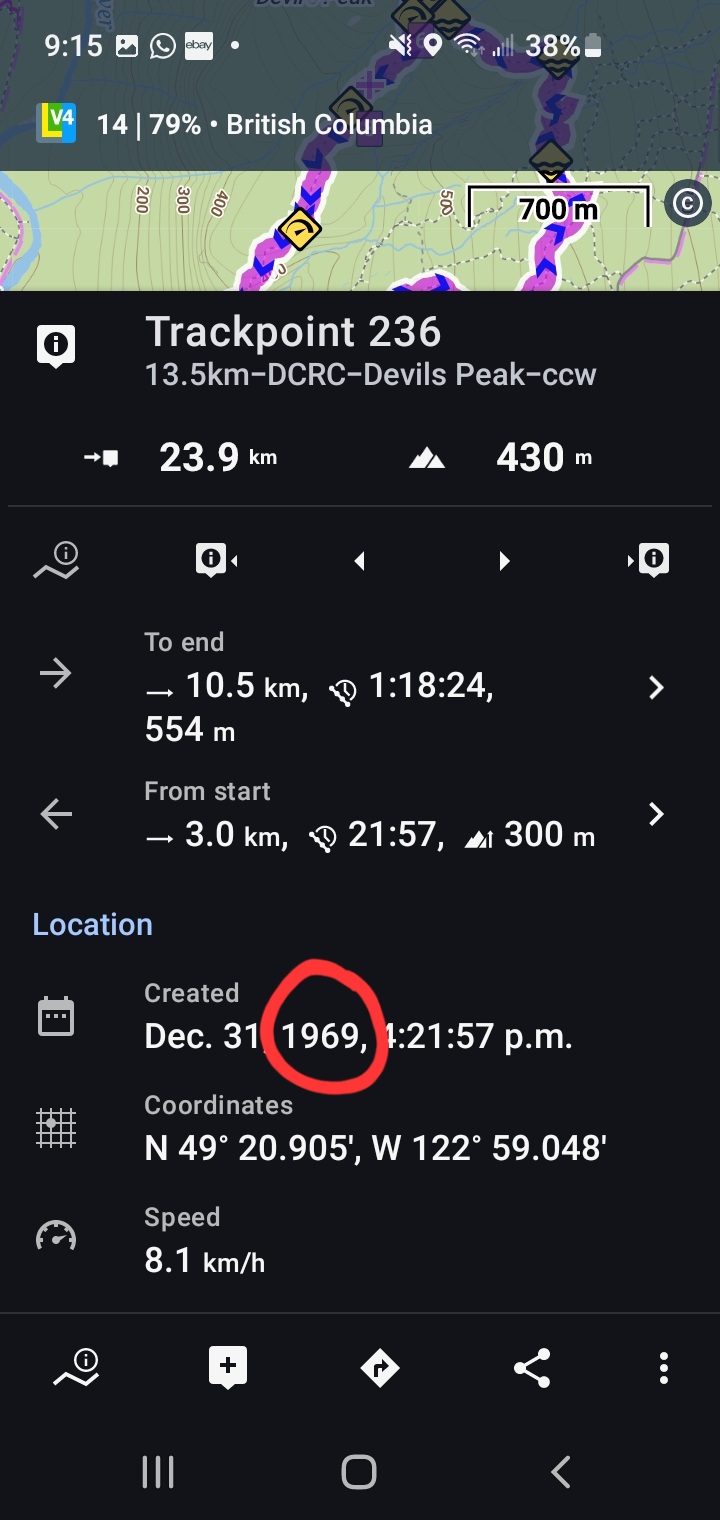
Also, in the third image attached, you'll see there is an error in the year created. Unless that year pertains to the year the map was created? Not an issue for me, but thought to let you know.
Many thanks!
Guy
 The same question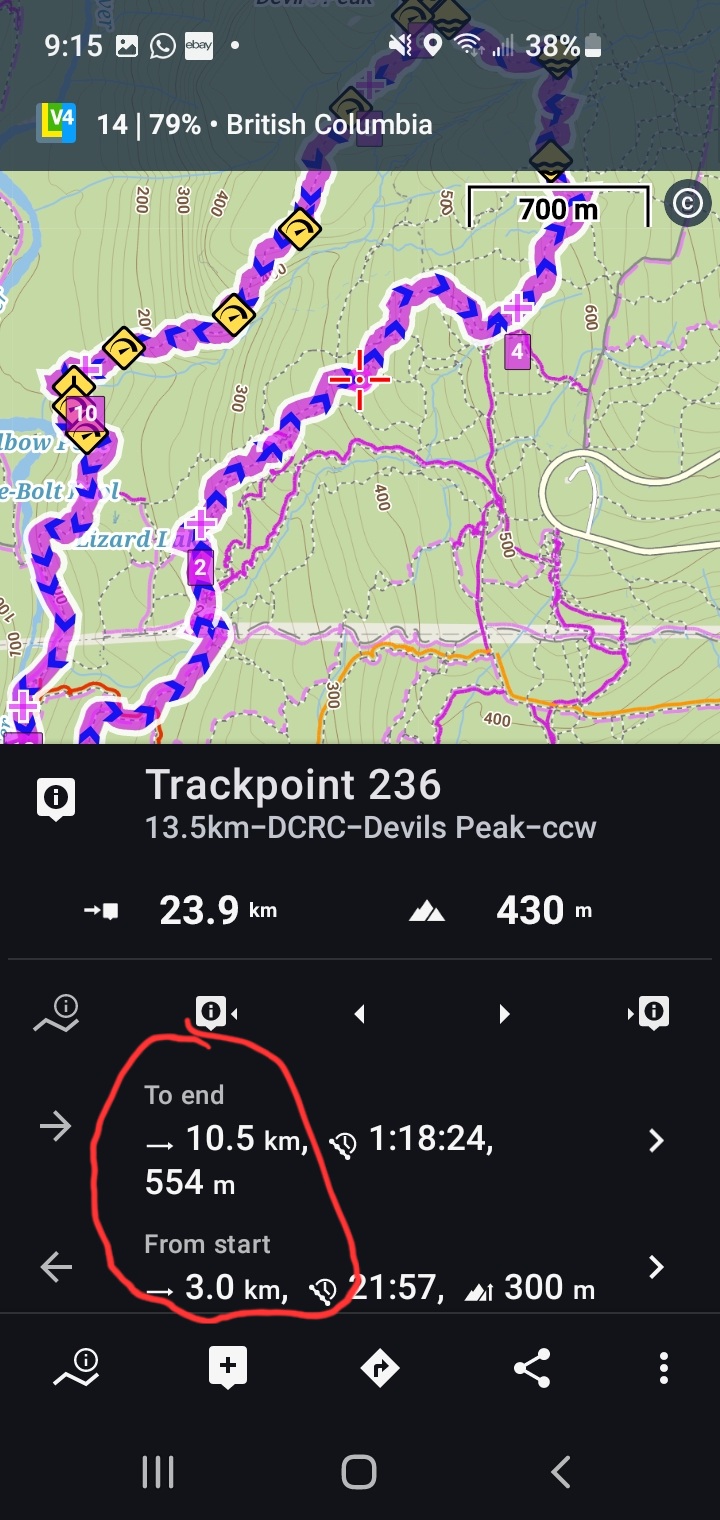
Hi Guy,
the trackpoint info displayed on a pop-up is the solution used in Locus Classic.
Locus Map 4 uses the other solution, where the trackpoint info is available after two taps - this allows displaying more info about the trackpoint.
Hi Guy,
the trackpoint info displayed on a pop-up is the solution used in Locus Classic.
Locus Map 4 uses the other solution, where the trackpoint info is available after two taps - this allows displaying more info about the trackpoint.
Ok thx
Ok thx
Replies have been locked on this page!