


Web planner map cut off horizontally
In Progress
When planning route map on right panel is cut off (narrow stripe), I cleared cache and it did not help. If I turn off elevation panel map does not expand, very frustrating to not able see map on large area of screen estate.
Files:
Screenshot 2026...
 The same question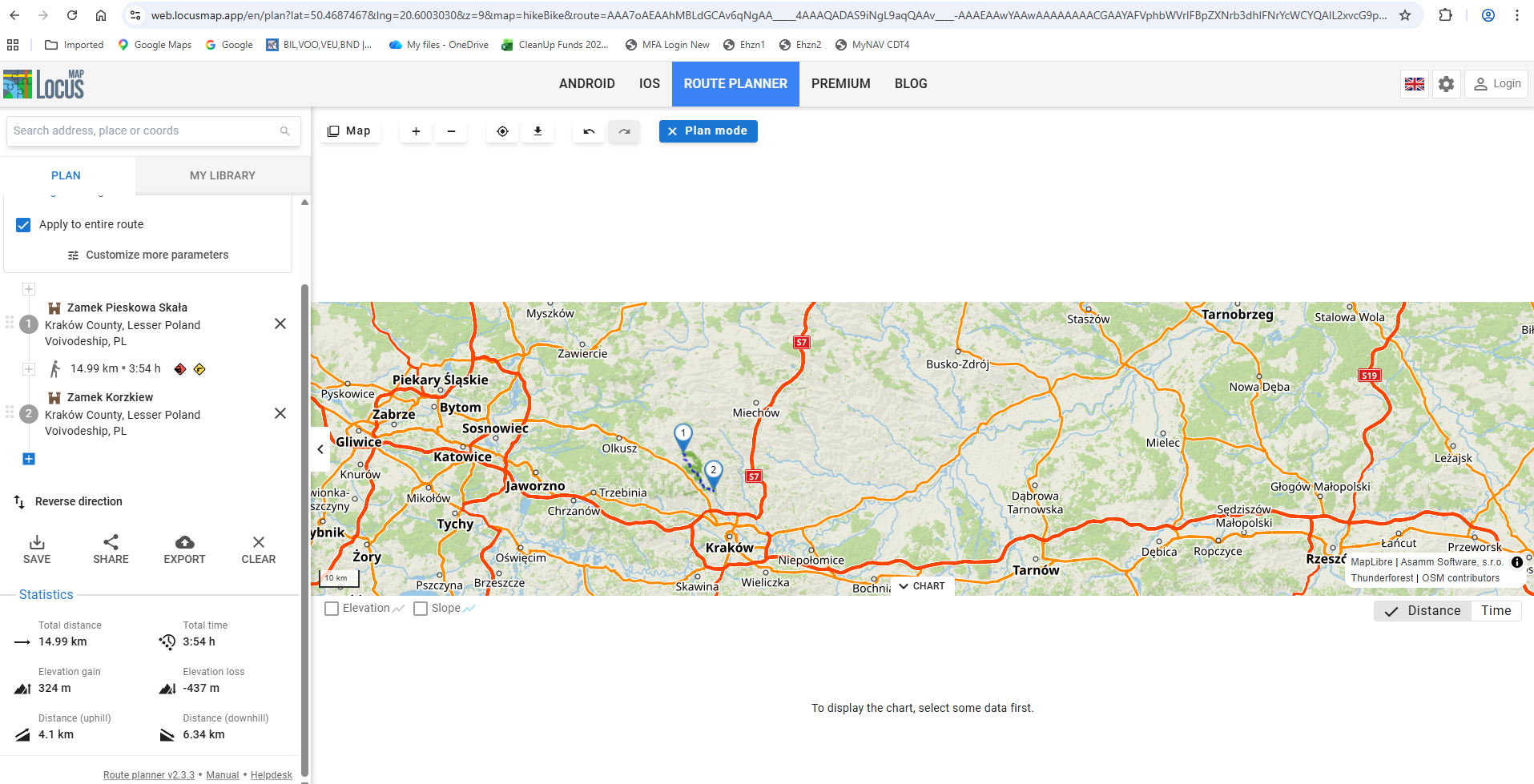
Hi Pawel,
have you tried a hard refresh of the page? Plus the emptying cache, cookies... What about a different browser? The same problem?
Hi Pawel,
have you tried a hard refresh of the page? Plus the emptying cache, cookies... What about a different browser? The same problem?
One more thing: copy the whole URL from the address bar and send it here. Thanks
One more thing: copy the whole URL from the address bar and send it here. Thanks
I found solution, if elevation "chart" bottom panel is minimized then map redraws on whole free screen area. If chart is expanded so I can see elevation then map is cut off, is that normal behavior? It behaves same on IE and Chrome, F5 refresh used and cookies deleted.
I found solution, if elevation "chart" bottom panel is minimized then map redraws on whole free screen area. If chart is expanded so I can see elevation then map is cut off, is that normal behavior? It behaves same on IE and Chrome, F5 refresh used and cookies deleted.
No, that's not normal. The chart panel should contain the elevation chart and not cut the map screen. Will you please send the URL from the address bar? Thanks
No, that's not normal. The chart panel should contain the elevation chart and not cut the map screen. Will you please send the URL from the address bar? Thanks
What web browser version do you use exactly? Please have a look at the "about" section of the browser settings. We are unable to simulate the issue on Chrome. IE browser is not supported.
What web browser version do you use exactly? Please have a look at the "about" section of the browser settings. We are unable to simulate the issue on Chrome. IE browser is not supported.
Hi,
could you please insert chrome://gpu into the address line of the affected browser and send the report file? Thanks
Hi,
could you please insert chrome://gpu into the address line of the affected browser and send the report file? Thanks
Replies have been locked on this page!