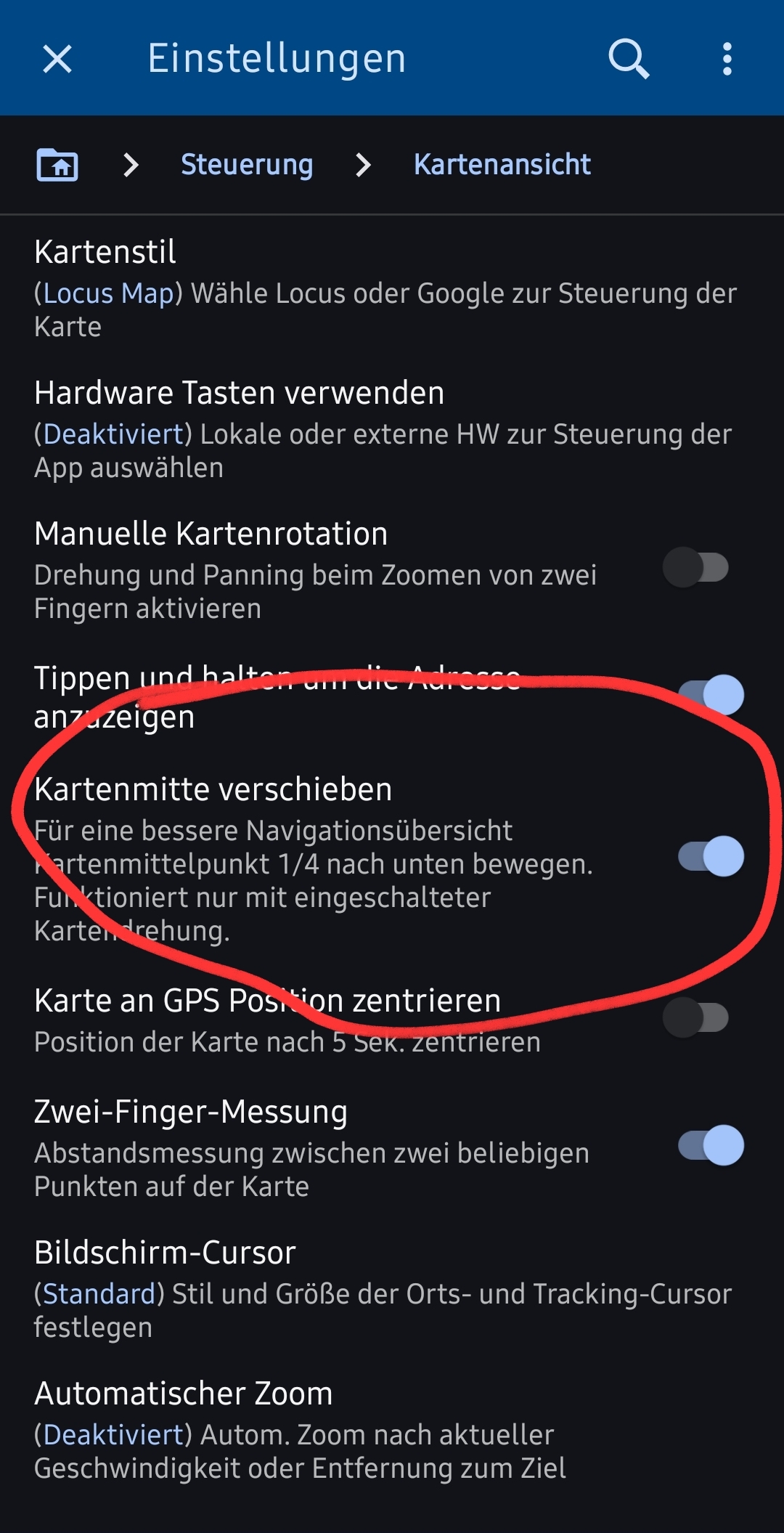
Setting "move map center" doesn't work

Johannes Waldmüller shared this problem 20 days ago
Not a Problem

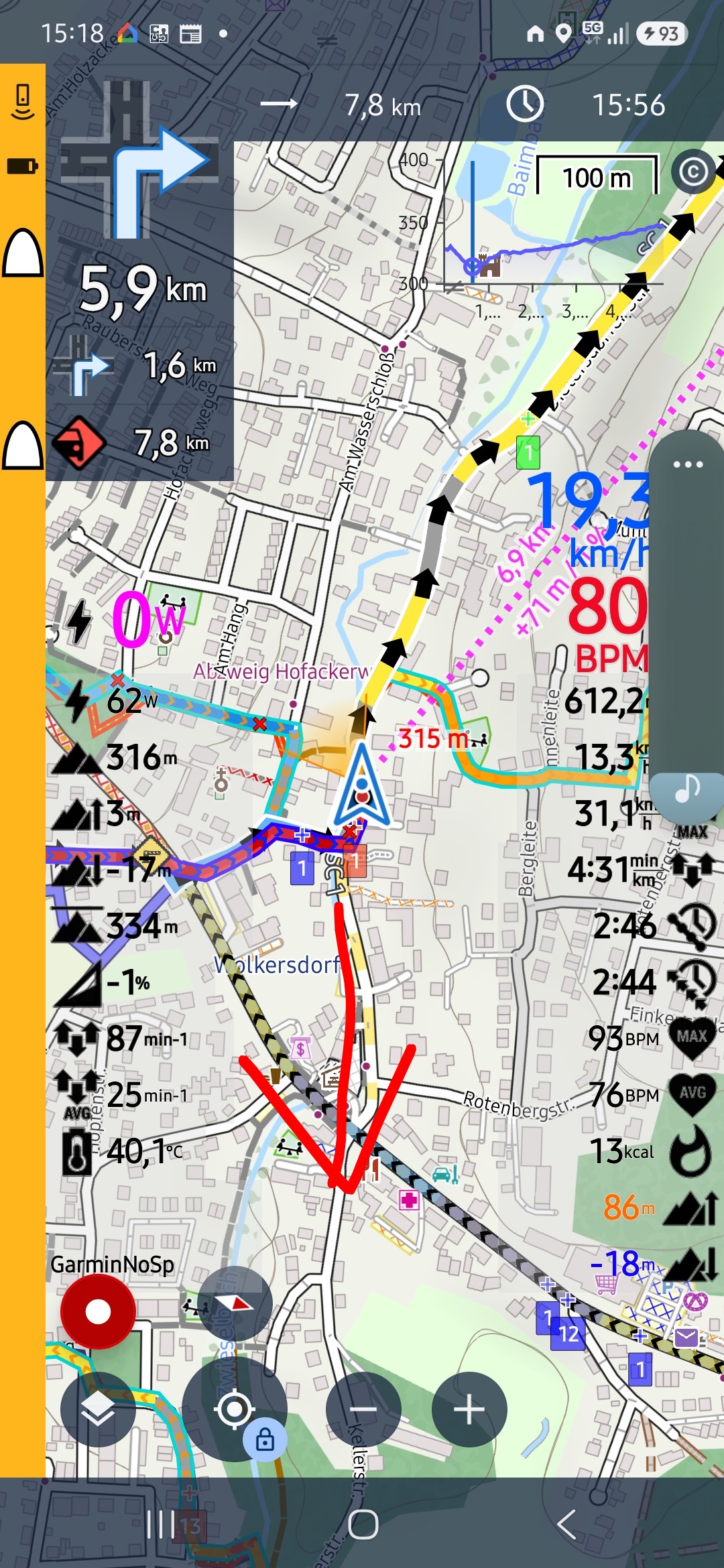
I have the setting "move map center" activated. But when I start navigating, even if map rotation is on, the cursor position doesn't move to the bottom of the screen. (See screenshots). But when I minimize the app and start it again the setting works.

Replies (2)

photo
1

Perhaps a Presset setting is active.

This comment is in trash! Restore
photo
1

Yes, there are presets active. But all of them ensure (activate) this setting (additional). But it doesn't work (anymore)...

This comment is in trash! Restore
photo
photo
1

Hi Johannes,

Please install the latest beta version of Locus Map from our repo at https://bit.ly/lmVersionsTest and test the issue with it. Let us know the result. Thanks!

regards

Michal, Locus team

This comment is in trash! Restore
photo
1

Tried the beta version. The issue seems to be fixed. (But was tested only once.

Two further observations (see also screenshots).

1. The navigation panel on left side now covers my dashboard values

2. The highmeter diagram doesn't show values greater 99 correctly/useful

This comment is in trash! Restore
photo
1

Could you please install the latest update 4.35.0.7?

This comment is in trash! Restore
photo
1

Installed and tested. Navigation overlay seems to be fixed.

Highmeters diagram still doesn't show useful values.

This comment is in trash! Restore
photo
1

What values would you expect and what is displayed? You can try smaller label text so that the values are visible.

This comment is in trash! Restore
photo
1

Hi Michal, I've tried smaller text size for that diagram in dashboard settings but it didn't change anything. My diagram shows 5000m. So I assume there should be displayed: 1 2 3 4 5 (at the beginning of the route). But it shows: 1,... 2,... 3,.... and so on.

This comment is in trash! Restore
photo
1

According to your screenshot you've traveled 113 km so the values on the chart are 114, 115, 116 and so on:

0954a4e27fdb8990a39e62b3955af4cb37ab7cbd666e9b6be8a4a881a6a46563

But because of the too-large text size and small chart cell, the app abbreviates the values into 1..., 1... Either enlarge the chart or make the text smaller so that it looks like this:

e4dfc4002688fe230268180c66592221aea28bce053fe04b2433849f4c44f3ad

This comment is in trash! Restore
photo
1

Yeah, thanks Michal, that worked. I completely reconfigured the diagram relationship in the dashboard and now everything is displayed properly! 👍

This comment is in trash! Restore
photo
Leave a Comment
 
Attach a file