


Make it easier for users to help with translation in crowdin
I wanted to help with translation, but struggled to find a text appearing in Locus. Crowdin documentation did not help – it was difficult for me to find the right documentation page, and after finding it, that page did not contain the relevant thing to search within all files (menu option All strings)
Idea: Let's add the very basic steps in Locus manual https://docs.locusmap.app/doku.php?id=manual:about:translation in order to make it as smooth, easy and hassle free to help translating as possible.
My idea is to add a new section "Jumpstart in Crowdin" below "Best UX practices" (below, because then people are more likely to read that text) with following content draft:
After approval mail arrived, open https://crowdin.com/project/menion/de and log in. Select the language you want to edit. In the appearing folders & files list, click a file – if you don't know which file to choose, click any, it does not matter which one.
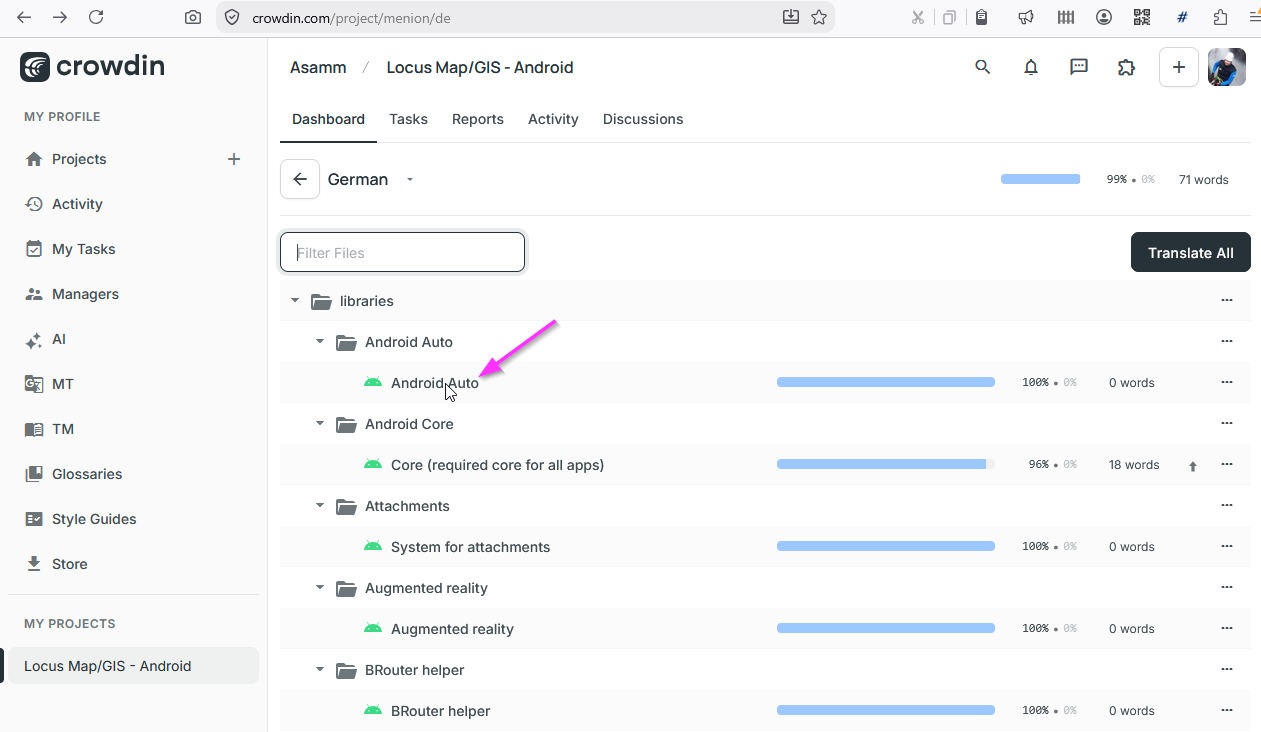
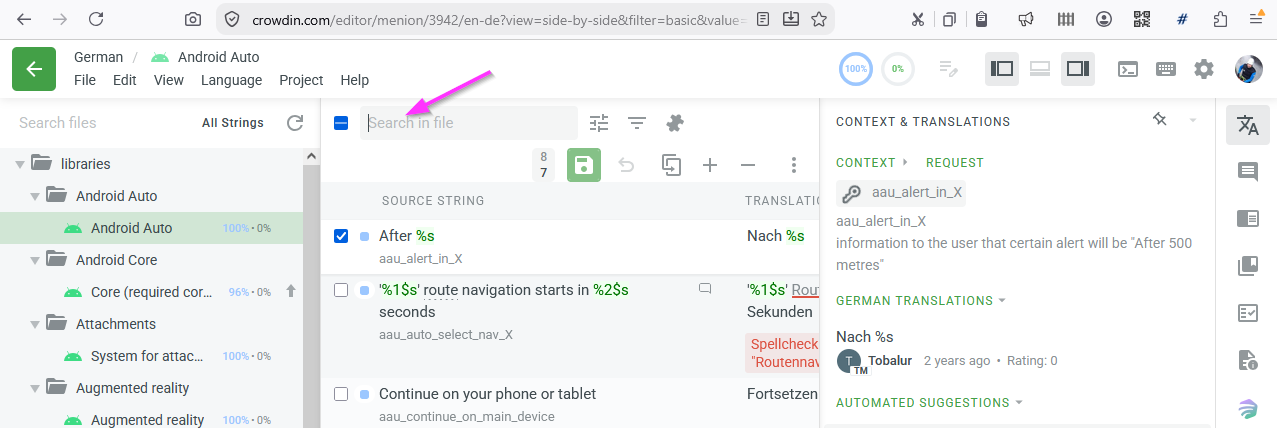
Now, the editor appears. It shows all strings contained in the selected file. At top, there is a search field. Enter the string you see in Locus GUI you want to translate or edit.
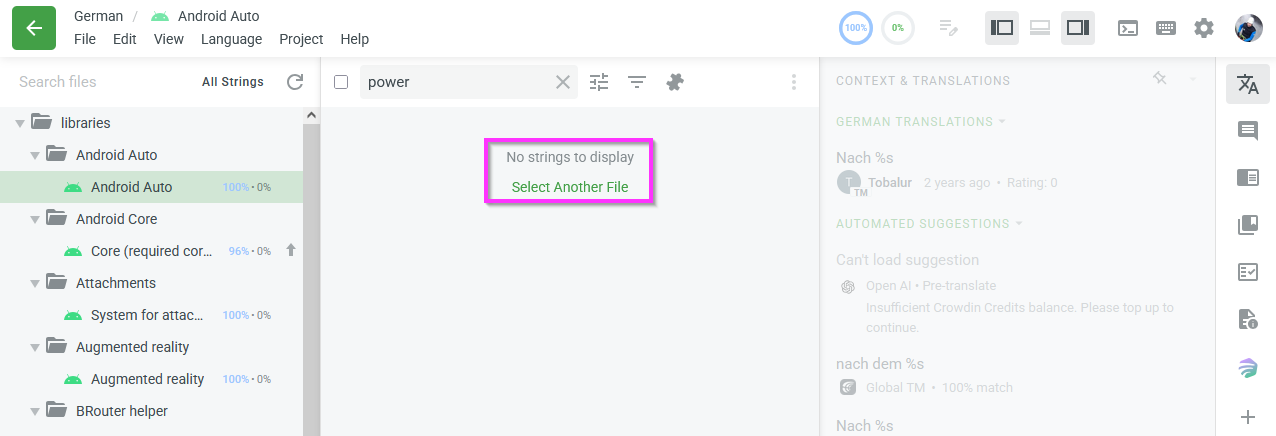
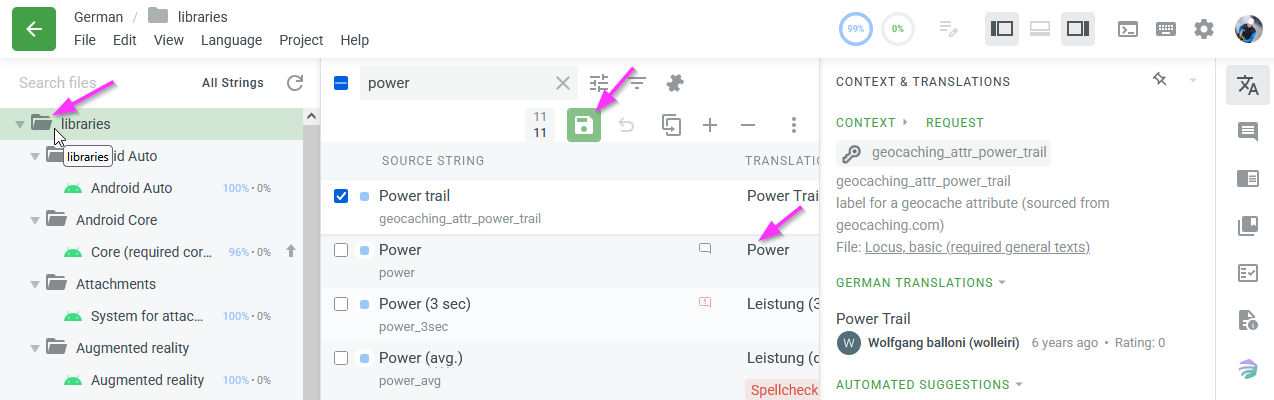
If you did not click the file containing the relevant string, you will get no strings to display. Then, in left pane, click on any folder to search within all files in that folder – choose root folder libraries to search within all files.
If you can still not find the string, go to Menu bar > File > All strings and add a checkmark. Todo: if still not found, what to do? e.g. contact Locus support via help.locusmap.eu because maybe, a certain text is not yet or not any more in a resource file?
If you see the string you want to edit in the right column Translation, click it so you can change the translated text – at the right, you can find suggestions. When you're satisfied with the new translation, do a final check against the source string for details like full stops and %s and the like. Click the disk icon to save your change. TODO: What happens next? Probably: Your suggestion is reviewed by a proof reader and afterwards used in a new Locus version.
More information on the editor can be found at https://support.crowdin.com/online-editor/
 I like this idea
Hi Georg,
you don't have to select a particular source file. Just tap "Translate All" and you can browse all the strings.
Hi Georg,
you don't have to select a particular source file. Just tap "Translate All" and you can browse all the strings.
Replies have been locked on this page!