


Import track as route or convert track to route
Refer to my previous question https://help.locusmap.eu/topic/41481-why-when-creating-route-is-the-surface-displayed-but-not-if-same-route-is-imported - marked "not a problem". Could be marked "an opportunity"?
Issue: it is not possible to view the route surface & way types of a recorded track, and if a route from the Route Planner is exported/ re-imported, this useful information is also lost.
My suggestion could be implemented at two places
- incorporate the behavior from BRouter-web when importing a track
- and/or track library > track > Tools > Convert to route
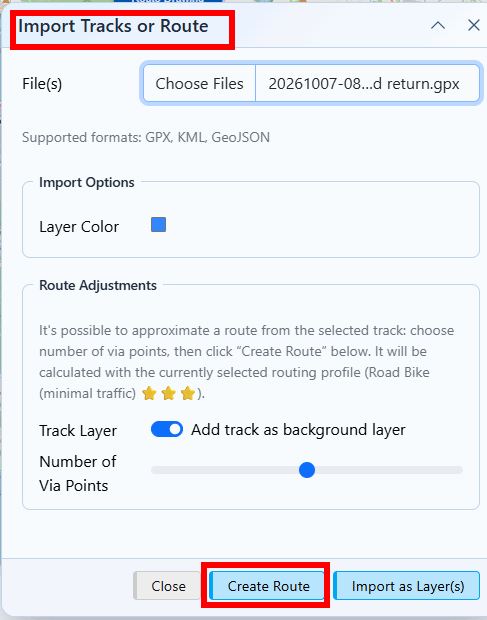
Here is an example BRouter Import dialog for yesterdays ride (saved as GPX). Note the auto-attached via/shaping points are added using the current routing profile. This could be made explicit - listbox - so the process is more intuitive.
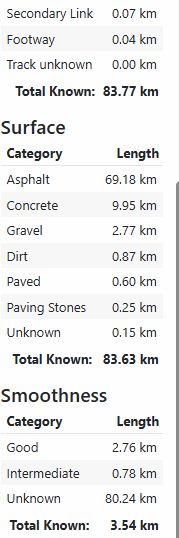
After import I can see the route surface & way types (among other details - max. speed, type of highway)
With this feature, another benefit is to allow altering an existing track via newly attached auto-via-points to become a different route.
 I like this idea
Replies have been locked on this page!