


Fonction type "Go To" from any point of the map. Photo with azimut.
Gathering feedback
The fonction Locus Pro type "Go To" is very useful. For example, I use it to find azimut and angle to a new destination. It seems to me that it's possible to do that only from the GPS position. I think it would be quite useful to do that from any point of the map, when GPS is inactive. I'm a hiking animator. For example, when I'm in rando, I take geolocalized pictures, and I note azimut. With this extension, I could make a link on the map, to perform my knowledge of cartography.
Furthermore, I think I't would be interesting, when we take a picture from Locus, to note automatically the azimut in the frame. Smart tools does that with the application "boussole". Best regards.
 I like this idea
Hi Gerard,
i know your post is an idea, but i want to answer whats possible for now ;-)
> It seems to me that it's possible to do that only from the GPS
position. I think it would be quite useful to do that from any point of
the map, when GPS is inactive.<
it´s possible if you disable GPS, mapcenter is used and if you move the map you will see that guiding line and displayed values change.
>take a picture from Locus, to note automatically the azimut in the frame<
inside locus i didn´t find a solution for that yet.
I take geocoded image(koords and azimuth) with app "Open Camera"
copy them to PC and use "Geosetter", add text if needed and built a .kmz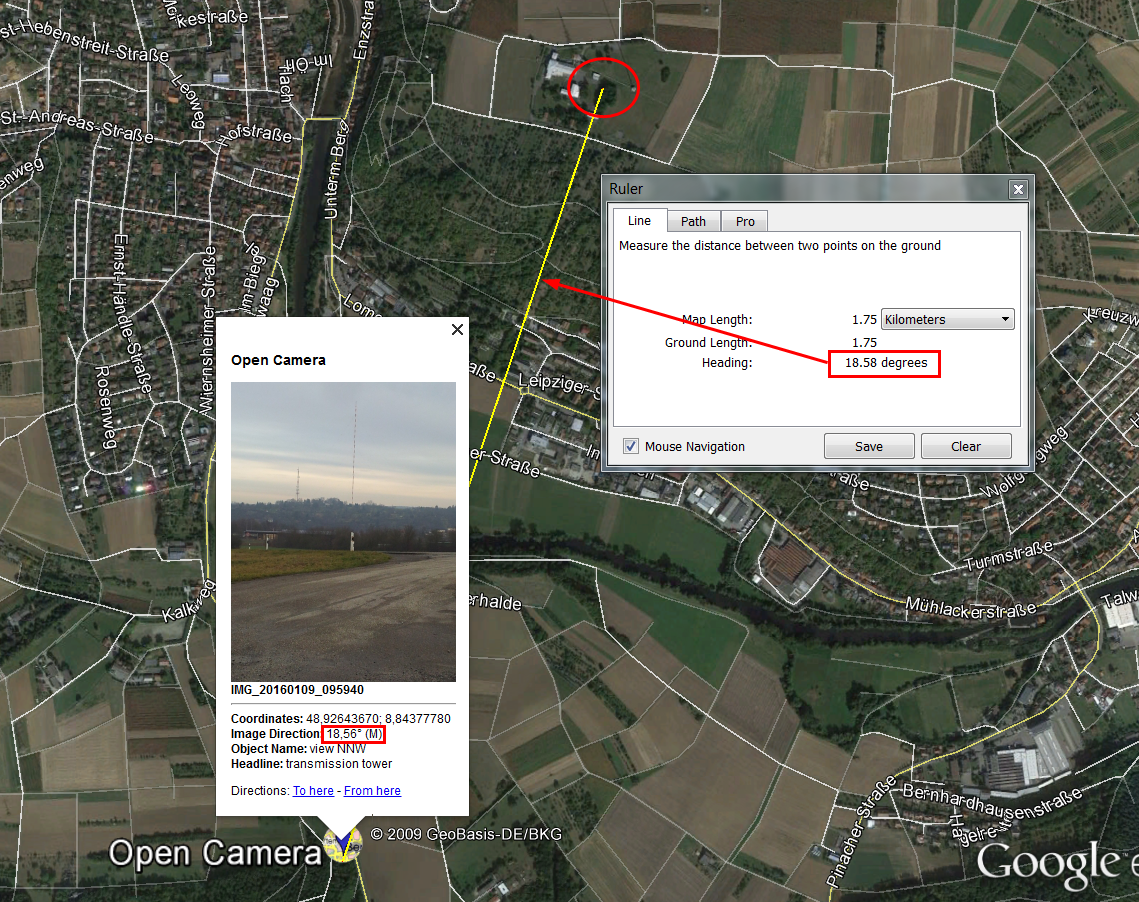
this kmz i import to locus to data/Points
Wolfgang
Hi Gerard,
i know your post is an idea, but i want to answer whats possible for now ;-)
> It seems to me that it's possible to do that only from the GPS
position. I think it would be quite useful to do that from any point of
the map, when GPS is inactive.<
it´s possible if you disable GPS, mapcenter is used and if you move the map you will see that guiding line and displayed values change.
>take a picture from Locus, to note automatically the azimut in the frame<
inside locus i didn´t find a solution for that yet.
I take geocoded image(koords and azimuth) with app "Open Camera"
copy them to PC and use "Geosetter", add text if needed and built a .kmz
this kmz i import to locus to data/Points
Wolfgang
Thanks for your informations. I think it would be better if Locus could add the possibility to have "Go To" from any point. It's seems to me that's not too much difficult. I installed Open Camera. OK for my need. Furthermore, with it, you can directly parameter to see informations in the picture. See the picture. I installed Geosetter on my PC. It's OK. I've just completed some files with the azimut (angle). For information, I use Peakfinder. On my PC (free), It allows me to have a good idea of the panorama before hiking. During hiking, it's OK to recognise peaks.
Thanks for your informations. I think it would be better if Locus could add the possibility to have "Go To" from any point. It's seems to me that's not too much difficult. I installed Open Camera. OK for my need. Furthermore, with it, you can directly parameter to see informations in the picture. See the picture. I installed Geosetter on my PC. It's OK. I've just completed some files with the azimut (angle). For information, I use Peakfinder. On my PC (free), It allows me to have a good idea of the panorama before hiking. During hiking, it's OK to recognise peaks.
Replies have been locked on this page!