


This object is in archive!

Overlays in route planner cover screen
Solved
How do I turn off these "part 1.2 of the route" overlays?
They cover the actual route and make the planner unusable.
Files:
signal-2025-06-...
 The same problem
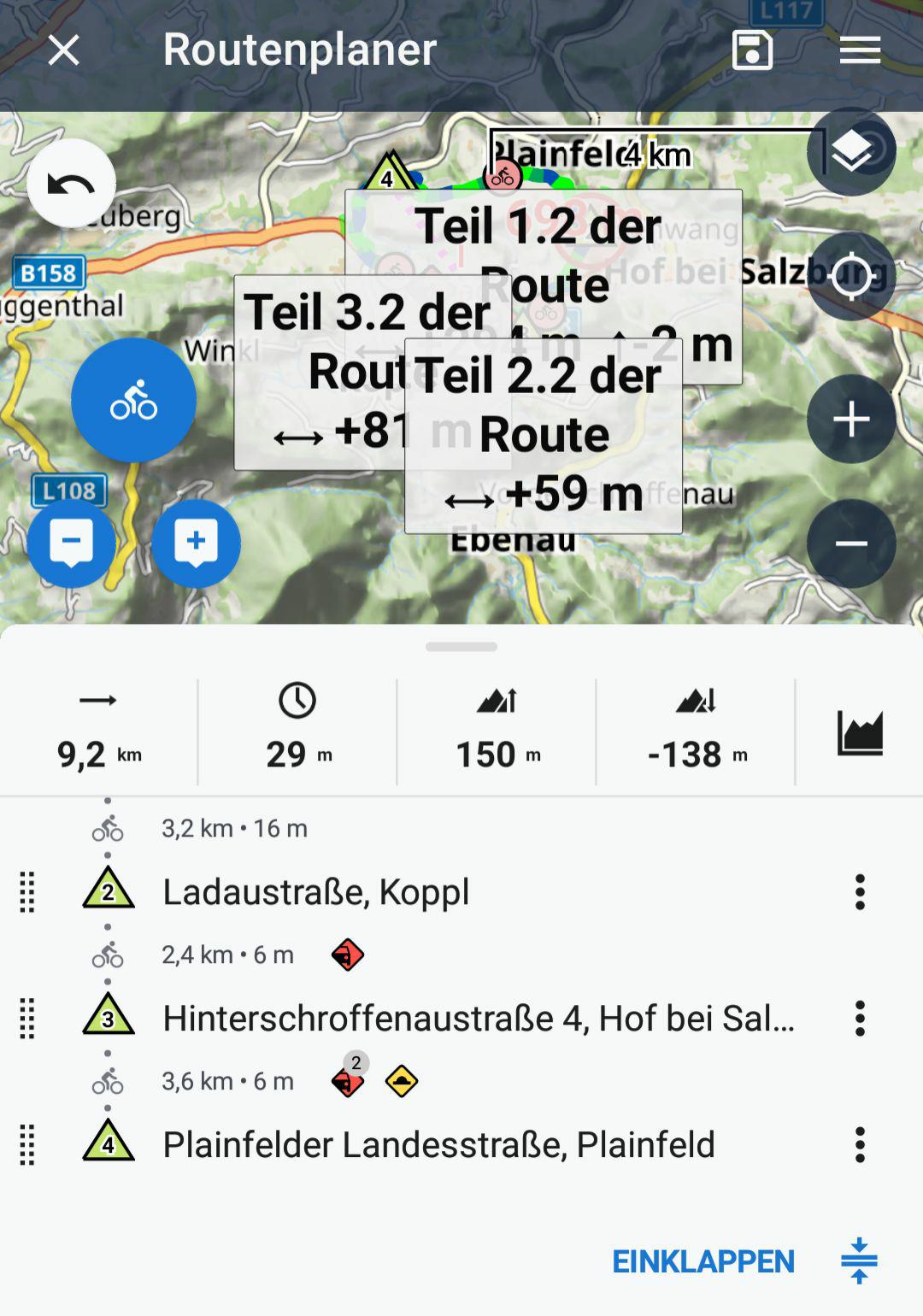
I realized out that I activated the setting to calculate two routes at once (alternative route). Now at least I can turn it off, because routing with these overlays is very inconvenient.
I realized out that I activated the setting to calculate two routes at once (alternative route). Now at least I can turn it off, because routing with these overlays is very inconvenient.
Hi Elias,
yes, we will definitely think about redesigning the route segment labels.
Hi Elias,
yes, we will definitely think about redesigning the route segment labels.
Hi,
the labels for alternative routes were redesigned. Please, wait for the next app version.
Hi,
the labels for alternative routes were redesigned. Please, wait for the next app version.
Replies have been locked on this page!