


Cannot sort subfolders in tracks folder
Not a Problem
Hi there. I've found that you can't sort subfolders in the tracks folder by anything else other than ascending alphabetical order. If you try any of the other sort options - eg distance or even reverse sorting or manual sorting, the sort order always stays the same. Is this normal? Thanks. Adam
Files:
Screenshot_2026...
 The same problem
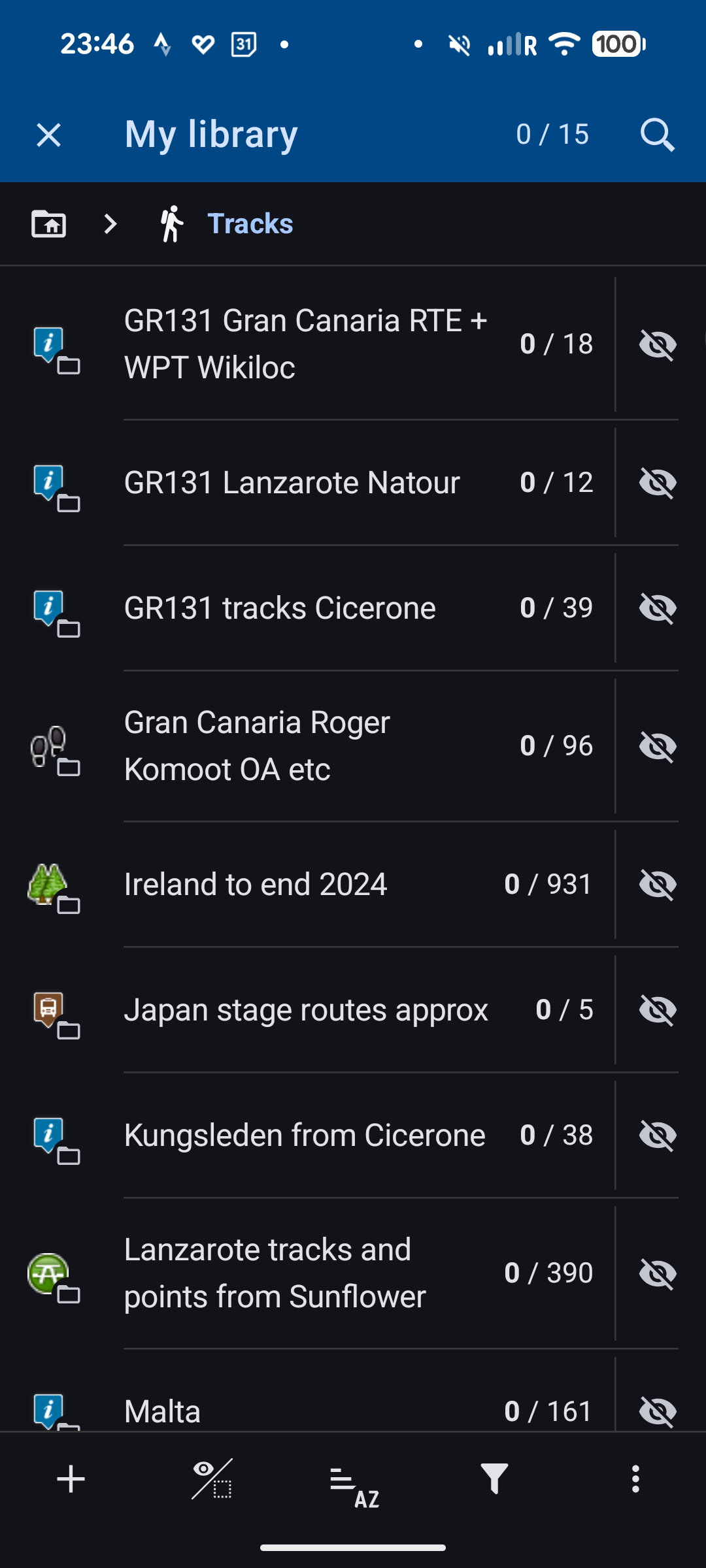
Folders can only be sorted manually. That works.
You can have subfolders AND tracks/points in the same folder. The tracks and points can be sorted according to any criteria, but the (sub)folders can only be sorted manually (or alphabetically by default).
Folders can only be sorted manually. That works.
You can have subfolders AND tracks/points in the same folder. The tracks and points can be sorted according to any criteria, but the (sub)folders can only be sorted manually (or alphabetically by default).
Thanks Graf. Now that I've sorted manually, I've found I can't sort alphabetically again. It's very odd behaviours but I can live with it for now. Adam
Thanks Graf. Now that I've sorted manually, I've found I can't sort alphabetically again. It's very odd behaviours but I can live with it for now. Adam
I define the sorting order in the name. It's always a number at the beginning. Then I sort alphabetically. If I want a different sort order, I change the number.
I define the sorting order in the name. It's always a number at the beginning. Then I sort alphabetically. If I want a different sort order, I change the number.
Replies have been locked on this page!