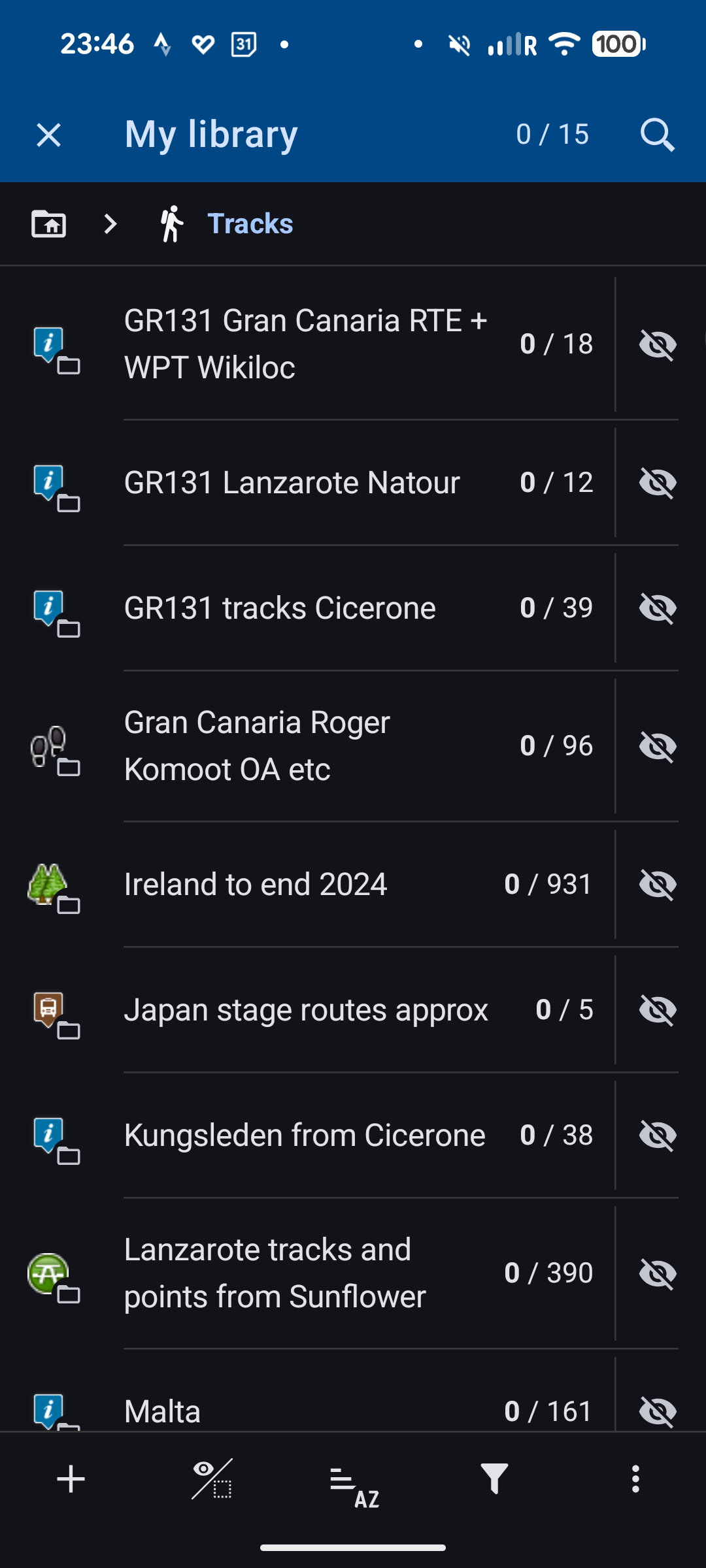
Cannot sort subfolders in tracks folder

Adam Dawson shared this problem 21 days ago
Not a Problem

Hi there. I've found that you can't sort subfolders in the tracks folder by anything else other than ascending alphabetical order. If you try any of the other sort options - eg distance or even reverse sorting or manual sorting, the sort order always stays the same. Is this normal? Thanks. Adam

Replies (3)

photo
2

Folders can only be sorted manually. That works.


You can have subfolders AND tracks/points in the same folder. The tracks and points can be sorted according to any criteria, but the (sub)folders can only be sorted manually (or alphabetically by default).

This comment is in trash! Restore
photo
1

Thanks Graf. Now that I've sorted manually, I've found I can't sort alphabetically again. It's very odd behaviours but I can live with it for now. Adam

This comment is in trash! Restore
photo
1

HI Adam, when you sort folders manually, you can sort them back by name. Just tap "by name" again even though it is checked.

This comment is in trash! Restore
photo
1

Thanks Michal. That does work temporarily but if you sort alphabetically then exit the app when you reopen the app it has reverted to the manual sort order. But I can live with it as I usually need the manual sort so I put the folder I use most at the top of the list. It's just a minor irritation and may just be a bug with my particular set up. Thanks

This comment is in trash! Restore
photo
1

Fortunately, that's the case. If you've sorted a lot of folders manually, it can be quite a bit of work. If I then change the sorting (carelessly or perhaps even accidentally, or because I also have tracks and points in the same folder), I would have to laboriously redo the manual sorting.


But there is a solution for you too: if you select "sort manually", you will see a "three dots icon" in the top right-hand corner. You can use this to reset the manual sorting. See screenshot.

This comment is in trash! Restore
photo
1

I've discussed the issue with the devs, and I've been told that the "name" sorting of the folders is a bug - the folders should only be sortable manually (plus the reset @Graf Geo mentioned, which re-sorts the folders alphabetically)

This comment is in trash! Restore
photo
1

I actually find the "bug" quite helpful: with lots of manually sorted folders, it is sometimes useful to see an alphabetical sort without losing the manual sort. But I understand that the current behaviour is inconsistent and confusing.

Perhaps you could add another option to the "three dots icon" menue: "Temporarily reset sort". This would then result in the current behaviour: alphabetical sorting only temporarily in the current view, manual sorting remains unchanged.

This comment is in trash! Restore
photo
1

Thank you Michal. It’s good to know that there is a bug and that I wasn’t just doing something wrong. Hopefully it can be fixed but it’s not urgent.


Thank you also Graf. I’d never noticed the three dots before and now that I’ve tried them, they work perfectly and exactly as you describe. So I can sort either alphabetically or make my own custom sort. This will work well enough for me until the full fix is implemented and I’m very grateful for your help.


Adam

This comment is in trash! Restore
photo
photo
1

I define the sorting order in the name. It's always a number at the beginning. Then I sort alphabetically. If I want a different sort order, I change the number.

This comment is in trash! Restore
photo
1

Thanks. Good idea.

This comment is in trash! Restore
photo
Leave a Comment
 
Attach a file