


What is the purpose of the map icon at top of track chart panel
Solved
I'm pretty sure this has been discussed many times, but without a screen capture/ video maybe the issue has been misunderstood.
tap My Library > tap a track > tap chart button ">" > tap on position of interest, for example steep slope or highest altitude > tap Map icon > tap Centering button > the map IS NOT positioned to the location on the chart. Bug?
For comparison (working): tap My Library > tap a track >tap directly on summary chart > tap Centering button > the map IS positioned to the location on the chart.
What exactly is this Map icon below supposed to do?
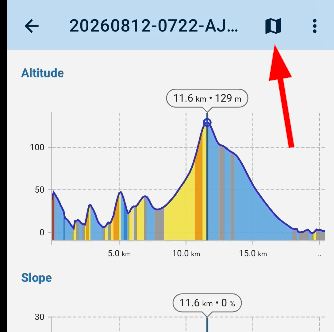
here is a video of the issue https://youtu.be/_IxUSSfIByQ
bug or question?
 The same problem
HI Andrew, I've tested this with the newest 4.36.1 and I can't reproduce it. Please try it from https://bit.ly/lmVersions or wait for the official release.
So the answer is: the "map" button shows the position tapped on the chart also on the track on the map.
HI Andrew, I've tested this with the newest 4.36.1 and I can't reproduce it. Please try it from https://bit.ly/lmVersions or wait for the official release.
So the answer is: the "map" button shows the position tapped on the chart also on the track on the map.
Hi Andrew,
we've discussed the issue with @Menion and we agreed that the problem is in the centering button, which appears when you open the track detail from the Library and that it doesn't center the track on the point selected on the chart, right? The issue should be fixed in the next app version.
Hi Andrew,
we've discussed the issue with @Menion and we agreed that the problem is in the centering button, which appears when you open the track detail from the Library and that it doesn't center the track on the point selected on the chart, right? The issue should be fixed in the next app version.
Replies have been locked on this page!